Sooner or later, an order on your marketplace will go wrong. A burger arrives without the fries. A restaurant accepts an order, then closes early. A customer cancels two minutes after the kitchen starts cooking.
Without a written policy, you decide every case from scratch. That means slow replies, unhappy customers, and arguments with restaurants about who pays.
Refunds are not rare, either. ItsaCheckmate, a restaurant technology company that helps operators dispute refunds, puts the average refund rate at about 3 to 4 percent of orders.
That sounds small. But a marketplace with a few hundred orders a day makes a lot of refund decisions every week, and each one costs money, time, or trust.
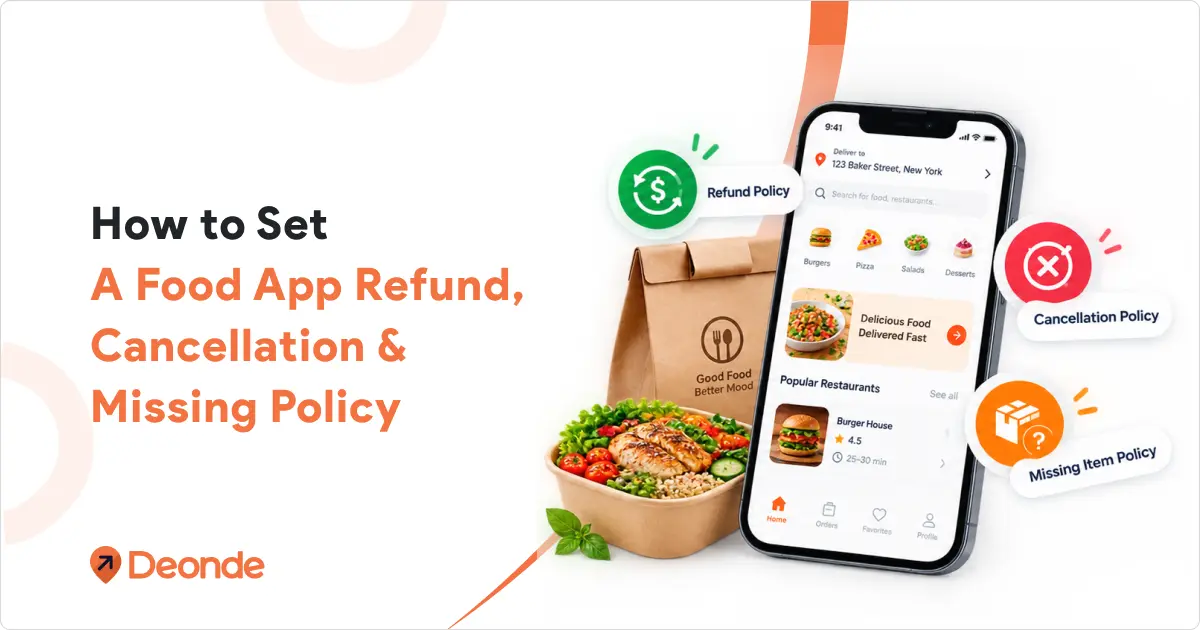
This guide shows you how to set a refund, cancellation, and missing item policy for your own food delivery marketplace.
It covers who should pay, how to stop abuse, and what the policy should say. There is a template near the end that you can copy and adjust.
Why You Need A Written Policy Before You Launch
That sounds small until you do the math. If your app gets 300 orders a day, 3 to 4 percent means 9 to 12 refund cases every single day. Without rules, each one turns into a debate.
A clear policy does four jobs:
- It keeps answers consistent: Two customers with the same problem get the same result.
- It protects your restaurants and drivers: They know the rules before they join, so there are fewer fights about deductions.
- It speeds up support: Your team follows the rules and does not ask you about every order.
- It builds trust: New customers feel safer ordering from an app that tells them what happens when something goes wrong.
You need a policy page anyway. Setting up a food delivery platform includes adding legal pages such as terms, privacy, and a return or refund policy. Write the real rules first, then publish them.
Three kinds of problems, three rules
Almost every refund case falls into one of these groups. Give each group its own rule.
- Cancellations: The order is not delivered yet, and someone wants to stop it. It can be the customer, the restaurant, or you.
- Problems with a delivered order: Missing items, wrong items, spilled food, or food that arrives cold or spoiled.
- Orders that never arrive, or arrive far too late.
6 Steps to Create a Fair Cancellation and Refund Policy for Your Food Delivery App
Protect your margins, keep restaurant partners happy, and give customers a fair deal by setting clear, predictable rules for when things go wrong.
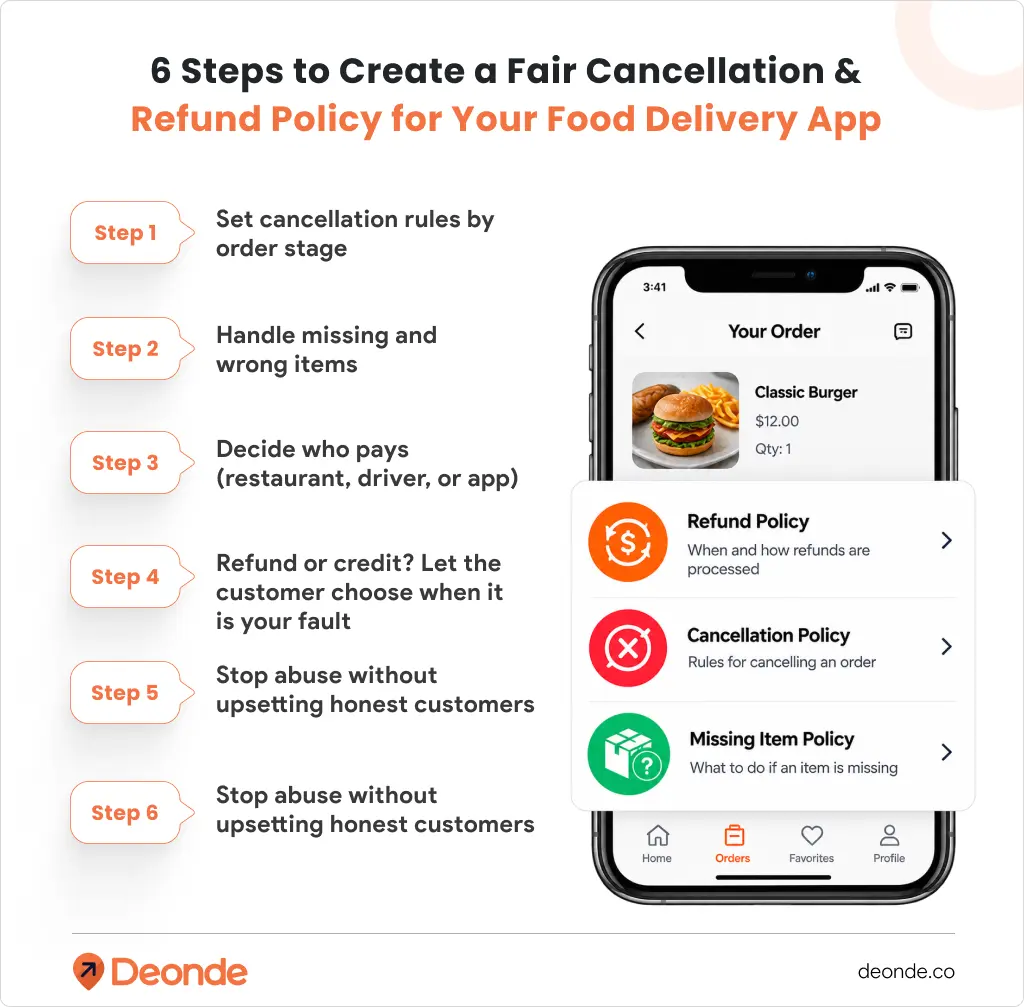
Step 1: Set Cancellation Rules By Order Stage
The easiest way to write cancellation rules is to tie them to what has already happened to the order. The later the stage, the more money the restaurant and driver have already spent.
What to add
- Before the restaurant accepts: the customer cancels for free and gets a full refund.
- Just after acceptance (a short grace window, such as one or two minutes): full refund. Many people spot a mistake right after paying.
- While the restaurant is preparing the food: no cancellation, or a partial refund at most. The kitchen has already used ingredients and time.
- After the driver picks up the order: no cancellation. If the customer gave a wrong address or does not answer, there is no refund.
Treat cancellations by the restaurant, the driver, or your app differently:
- Restaurant cancels: full refund, issued automatically. Track how often each restaurant does this, and set a warning level and a suspension level.
- Driver cannot deliver (breakdown, accident, no driver available): full refund. After a long wait, consider a small credit as an apology.
- You cancel (outage, payment error, zone problem): full refund, no questions asked.
Why it matters
Customers get a fair deal, and restaurants are not forced to throw away food they already cooked. A fixed rule for each stage also means your team never has to guess.
For app builders
Show the cancel button only while cancellation is allowed, and hide it once the order reaches the preparing stage. Refund automatically when the restaurant or driver cancels. Show the rule on the checkout screen before the customer pays.
Step 2: Handle Missing And Wrong Items
Missing items are one of the most common complaints in food delivery. They are also hard to check, because nobody from your team was there when the bag was packed. A simple process keeps things fair.
What to add
- A short reporting window. Food cannot be checked later, so many operators allow reports on the same day or within 24 hours.
- An item picker. The customer taps the exact items that are missing or wrong, so your team does not have to ask.
- Photo evidence when it makes sense. Uber Eats says it requires photos in many cases, and it may deny a claim when the evidence is not enough or the claim looks like fraud or abuse. Ask for a photo on wrong items, quality problems, and higher-value claims. Skip it for small ones.
- A refund for what went wrong. For a missing or wrong item, refund that item plus its tax. Big platforms treat delivery fees and tips differently, so set your own rule. A sensible default is to refund the delivery fee and tip only when the whole order failed.
- No sending the driver back. Once the driver leaves the restaurant, going back is slow and rarely works. Refund or credit the customer instead.
- A fair rule for quality problems. Cold food, spilled drinks, and spoiled items need a judgment call. Use a partial refund for small issues and a full refund for serious ones, such as food that is unsafe to eat.
- A full refund for orders that never arrive. Include the delivery fee and tip. No evidence needed.
A quick example
A customer orders a $12 burger, $5 fries, and a $6 shake, plus a $4 delivery fee and a $3 tip. The fries are missing. Refund the $5 for the fries plus the tax on them. The delivery fee and tip stay, because the order did arrive.
Why it matters
Item-level refunds are fair to everyone. The customer gets money back for what they did not receive, and the restaurant is not charged for a whole order because of one forgotten side.
For app builders
Build a “Report a problem” flow into the order screen: pick the items, choose a reason, add a photo, submit. Customers who can report inside the app do not need to call support.
Step 3: Decide Who Pays (Restaurant, Driver, Or App)
This is where most app owners get stuck. The fairest answer is to follow the cause.
What to add
- Restaurant mistake (missing item, wrong item, bad quality, long prep delay): take it from the restaurant’s next payout. Uber Eats does this for order errors, and its merchant page says the deduction ranges from part of the item cost up to the full cost.
- Driver mistake (spill, wrong address, damaged order, no delivery): you pay first, then follow up with the driver. If one driver has a pattern, warn them or deduct from their earnings.
- App mistake (payment glitch, bug, wrong delivery estimate): you pay.
- Customer mistake (wrong address, not answering the phone, changed mind after cooking started): no refund, or a partial refund at your discretion.
Put these rules in your restaurant agreement before anyone joins. Then show every deduction clearly in the payout statement. Restaurants accept deductions more easily when they can see which order was claimed and why. Uber Eats gives merchants a downloadable file with every order error, the items involved, the refund amount, and what the restaurant was charged. You can offer something similar.
Also let restaurants dispute a deduction within a set number of days, with evidence such as a photo of the packed order.
Why it matters
When the rules are fair, good restaurants stay on your app. When deductions come as a surprise, they leave, and your supply leaves with them.
For app builders
Add a required “cause” field to every refund: restaurant, driver, app, or customer. It decides who pays, and it gives you clean data for reports later.
Step 4: Refund Or Credit? Let The Customer Choose When It Is Your Fault
You have two ways to give money back:
- Refund to the original payment method. This feels the fairest to the customer. It can take a few business days to show up, depending on the bank.
- Wallet or app credit. It is instant, and the money stays in your app. But customers can feel pushed to reorder, especially when credit only works on a future order.
What to add
If an order never arrives, refund to the original payment method. For smaller problems, like a missing side, let the customer choose, and think about adding a small bonus for picking credit.
Why it matters
A forced credit after a failed order is a quick way to lose a customer. Giving a choice costs you nothing and feels respectful.
Step 5: Stop Abuse Without Upsetting Honest Customers
Most customers are honest. A few will use the system to get free food, and sometimes a driver or restaurant is the one behind repeated problems. A few light checks go a long way.
What to add
- Evidence above a set order value. Auto-approve small claims so your team is not buried.
- Claim history per customer. If one account reports missing items again and again, review it by hand instead of banning it automatically. Uber Eats says it tracks refund history and blocks customers who abuse its refund policy.
- Missing item rates per driver and restaurant. Uber Eats flags delivery people with a high number of missing item reports. A pattern shows you where the real problem is.
- Proof of delivery. A photo at the door, or a one-time code the customer gives the driver, protects you when someone says an order never arrived.
Why it matters
Abuse costs real money, but harsh rules push away good customers. Evidence and patterns let you be fair and careful at the same time.
Step 6: Check The Law In Your Market
Consumer rules differ by country and sometimes by state, so check yours before you publish.
One example: in the EU, the 14-day “cooling off” right to cancel an online purchase does not apply to food or drinks with a short use-by date, according to the EU’s consumer information site. So a customer generally cannot send back a meal just because they changed their mind. But consumer law still applies when an order does not arrive or is not what was promised, so you cannot ignore those cases.
Also think about chargebacks. If you deny a refund, a customer can dispute the charge with their bank. A clear policy, timestamps, photos, and proof of delivery help you respond. Have a local lawyer review your final policy. This article is general information, not legal advice.
What Your App Needs To Support This Policy
Rules on paper are not enough. Your app has to enforce them. Here is a checklist for owners and builders, with the reason behind each item.
- A cancel button that follows order status: It stops cancellations that cost restaurants money.
- A “Report a problem” flow with an item picker and photo upload: Customers get help in a minute, and you get evidence.
- Cause codes on every refund (restaurant, driver, app, customer): They decide who pays and make your reports useful.
- Full and item-level refunds, to the original payment method or the wallet: You can match the refund to the problem.
- Automatic refunds when a restaurant or driver cancels: Your support team skips the easy cases.
- A deduction line in restaurant payout statements, with a dispute option: Restaurants trust what they can see.
- Claim history for customers, drivers, and restaurants: You can spot abuse early.
- Status messages at each step (claim received, approved, refunded): Customers stop asking “where is my refund?”
- The policy linked at checkout and on the order screen: fewer disputes and fewer chargebacks.
- An action log showing who approved each refund: It keeps your team accountable and helps when a dispute comes up.
A Refund And Cancellation Policy Template
Copy this, replace the items in brackets, and have it reviewed before you publish.
Cancellations: You can cancel your order for free until the restaurant accepts it. After that, you may cancel within [1 to 2 minutes] for a full refund. Once the restaurant starts preparing your food, we cannot cancel the order. If the restaurant or driver cancels, you will receive a full refund automatically.
Missing or wrong items: If an item is missing or wrong, report it in the app within [24 hours] of delivery and select the item. We may ask for a photo. If your claim is approved, we will refund the price of the item and its tax.
Orders that do not arrive: If your order does not arrive, we will refund the full amount, including the delivery fee and tip.
Quality problems: If your food arrives spoiled, unsafe, or very different from what was described, contact us within [24 hours] with a photo. Depending on the problem, we will offer a partial or full refund.
How refunds are paid: Refunds go back to your original payment method. They can take [5 to 10] business days to appear, depending on your bank. Where we offer wallet credit, you can choose it instead.
Fair use: We review refund requests case by case. Repeated claims that do not match our records may be declined, and accounts that misuse this policy may be limited.
Contact: Questions? Email [support email] or use the Help section in the app.
Track The Numbers Every Month
A policy is not finished when you publish it. Review these numbers once a month:
- Refund rate (refunded orders as a percentage of all orders)
- Missing item rate for each restaurant
- Cancellation rate by restaurant and by reason
- Total refund cost compared with revenue
- Average time to resolve a claim
- Customers with repeated claims
Talk to restaurants with high missing item or cancellation rates. Give your best performers more visibility. Over time, the policy should cost you less because the number of problems drops.
How Deonde Helps You Run This
If you build your food delivery app on Deonde, a lot of the groundwork is already in place:
- The admin panel gives you one place to manage orders, vendors, zones, and commissions.
- The online payment system supports 50+ payment gateways, and refunds go back to the original payment method automatically.
- Payout and settlement reports help you reconcile refunds against what you owe restaurants.
- The driver app includes proof of delivery, which gives you evidence when an order is disputed.
Deonde is a monthly subscription, so you can launch your multi-vendor food delivery app without building any of this from scratch.
Book a free demo and ask the team how cancellations and refunds work for your setup.
Final thoughts
A good refund policy is clear, fair to customers, and fair to your restaurant partners. Tie cancellations to the order stage, handle missing items with a simple evidence process, decide who pays by cause, and build the app so it enforces the rules for you.
Write it all down before launch, and your team will spend less time arguing and more time growing your app.
FAQ
1. Should a food delivery app refund customers who change their mind?
Usually only before the restaurant accepts the order, or within a very short grace window. After cooking starts, the restaurant has already spent money, so most apps do not refund a change of mind.
2. Who pays when an item is missing?
Follow the cause. If the restaurant forgot the item, deduct it from the restaurant’s payout. If the driver caused the problem, you pay and follow up with the driver. If it was your app’s mistake, you pay.
3. Should refunds go to the original payment method or to a wallet?
Use the original payment method when an order never arrives. For smaller problems, let the customer choose.
4. How long should customers have to report a problem?
Many operators use the same day or 24 hours, because food quality cannot be checked later. Pick a window and show it in the app.
5. How do I stop fake missing item claims?
Ask for photos on higher-value claims, track claims per customer, and review patterns by hand before taking action. Do not rely on automatic bans.
6. What should I build first if I am launching a new app?
Start with cancel rules by order stage, a “Report a problem” flow, and cause codes on every refund. Those three cover most cases.