Most restaurants spend all their budget on getting the first order. The second order is where the real profit starts.
Acquiring a new customer costs five to seven times more than retaining an existing one. Push notifications for repeat orders close that gap. They reach your customer directly on their lock screen — no ad spend, no algorithm, no waiting for them to search for you.
But only if you use them the right way.
Push notifications for repeat orders work by reaching opted-in customers with timely, personalized messages that match where they are in their order journey — from post-delivery follow-ups to reorder triggers and loyalty milestones.
This guide walks you through a complete system: who to target, when to send, what to write, and which triggers to set up so your notifications build repeat order habits automatically.
Push Notification Market Statistics & Trends
The push notification landscape has evolved dramatically, with Sleeknote reporting that 95% of first-time visitors aren’t ready to buy, making push notifications crucial for bringing them back. Also emails take 6.4 hours to be seen, while web push notifications are seen instantly, giving push a massive timing advantage..
MobiLoud data shows that e-commerce brands sent 55% more push notifications in 2024 than in 2023, indicating massive adoption growth.
Consumer Behavior Patterns:
- 46% of users opt out if they receive 2-5 push messages per week
- 60% disable notifications after just one irrelevant message
- Afternoon and evening campaigns get 2x higher view rates
- Messages under 10 words get 2x the engagement
Why the Window Between Order 1 and Order 2 Decides Everything
Your highest-risk period with any customer is the 7 days after their first delivery. If they do not reorder within that window, the probability of them returning drops sharply with every passing day.
Most restaurant operators miss this window entirely. They send a generic discount email two weeks later and wonder why it does not convert.
The reason is simple. By day 14, the customer had already ordered from two other restaurants. Your brand is no longer in front of mind. A discount notification at that point is not a retention tool — it is damage control.
Push notifications change this. They are the only channel that can reach a customer within 24 hours of their first order, on their own device, without requiring them to open an email or visit your website.
The food and drink industry has an 81% medium opt-in rate for push notifications. That means 8 out of 10 customers who download your app are reachable. The question is whether you have a system to reach them at the right moment.
Segment Your Customers Before You Send a Single Message
Sending the same message to every customer is the fastest way to burn your opt-in list. Effective customer retention push notifications begin with audience segmentation.
Divide your customer base into three groups based on order behavior:
New customers — 1 order only. These customers have not built a habit yet. They need a reason to come back fast. Your notification within 24–48 hours of their first delivery determines whether you earn a second order.
Active customers — 2 to 5 orders. These customers are forming a pattern. Your job is to reinforce it. Order anniversary reminders, item-specific recommendations, and loyalty milestone alerts work best for this group.
Lapsed customers — no order in 30 or more days. These customers are at risk of churning permanently. A discount alone rarely brings them back. Pair an incentive with a specific, personal reason — a new menu item, a faster delivery time, or a direct reference to something they ordered before.
Segmentation does not require complex software. Most ordering platforms store the data you need. If you run deliveries through Deonde’s direct ordering system, customer order history is available in your dashboard and can be used to build these segments and trigger campaigns automatically.
The Reorder Notification Sequence That Converts First-Time Buyers
A restaurant push notification strategy built on timed sequences consistently outperforms one-off promotional blasts. Here is a three-step sequence that works across cuisines and order volumes.
Step 1 — The 24-Hour Follow-Up
Send this within 24 hours of the customer’s first successful delivery.
Goal: Keep your brand in the customer’s mind while the experience is still fresh.
Message example: “Your order last night — want to go again? Reorder in one tap.”
Do not add a discount here. If the customer had a good experience, the nudge alone is enough. Adding a discount at this stage trains the customer to wait for offers before every reorder.
Keep the message short. Notifications with 10 or fewer words have nearly twice the click rate of those with 11 to 20 words.
Step 2 — The 72-Hour Item-Level Push
If the customer has not reordered by the 72-hour mark, send a product-specific notification.
Goal: Use their order history to make the message feel personal rather than automated.
Message example: “Missing your Paneer Butter Masala? It’s ready when you are.”
Personalized notifications have up to 4 times higher reaction rates than generic messages. Naming the specific item they ordered takes 30 seconds to set up and makes a measurable difference in open rates.
Step 3 — The 7-Day Reorder Trigger
If the customer still has not reordered by day 7, send a time-sensitive prompt with a small incentive.
Goal: Create enough urgency to prompt a decision without being aggressive.
Message example: “Your favorite restaurant is open. Use your ₹50 welcome credit before it expires.”
This is the right point to include an offer — not before. By day 7, the customer needs an extra reason. A small, time-limited credit works better than a large percentage discount because it feels more personal and less transactional.
8 Push Notification Types That Drive Repeat Orders
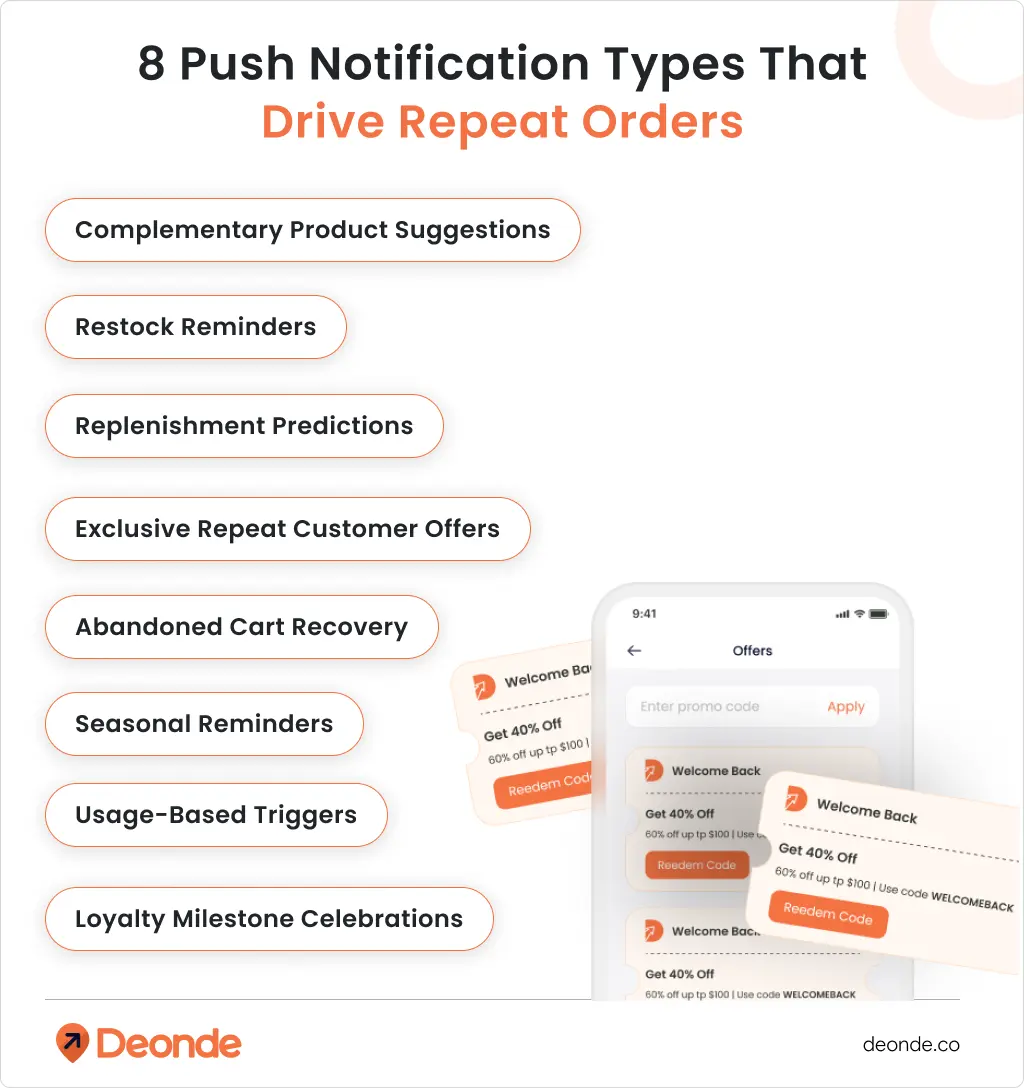
1. Restock Reminders
When: Based on typical consumption patterns Message: “Running low on your usual coffee? Reorder with one tap ” Pro tip: Include estimated delivery time – “Arrives by Thursday”
2. Replenishment Predictions
When: Before they run out (not after) Message: “Your protein powder should be running low. Reorder now for seamless delivery” Why it works: Shows you understand their usage patterns
3. Exclusive Repeat Customer Offers
When: After 2+ purchases Message: “VIP offer: 25% off your next order. Expires in 24 hours” Psychology: Makes them feel special, creates urgency
4. Abandoned Cart Recovery
When: 1 hour, 24 hours, 3 days after abandonment Message sequence:
- Hour 1: “Forgot something? Your cart is waiting”
- Day 1: “Still thinking it over? Here’s 10% off to help decide”
- Day 3: “Last chance – your cart expires soon”
5. Seasonal Reminders
When: Before seasonal demand peaks Message: “Winter’s coming. Restock your skincare routine before the rush” Smart move: Reference their past seasonal purchases
6. Usage-Based Triggers
When: Based on app activity patterns Message: “Haven’t ordered in 3 weeks. Miss us? Here’s 15% off your comeback order” Tone: Light, not guilt-trippy
7. Complementary Product Suggestions
When: After successful delivery Message: “Love your new headphones? These cases are flying off the shelves. Key: Suggest genuinely useful add-ons, not random stuff
8. Loyalty Milestone Celebrations
When: After X orders or Y amount spent Message: “10 orders strong! Here’s a special thank you gift” Impact: Reinforces their loyalty, encourages more
How to Increase Opt-In Rates for Food Delivery App Push Notifications
Your notification strategy is useless if customers have not opted in. Structuring this initial opt-in sequence correctly is a critical technical milestone for anyone looking at how to start a food delivery startup. Many restaurants leave their opt-in rate far below what it could be by asking at the wrong moment or explaining the wrong thing.
Ask at peak satisfaction. The best moment to request notification permission is immediately after a successful delivery confirmation. The food arrived. The customer is happy. That is when they are most likely to say yes to alerts from your app.
Explain value, not the feature. Do not say “Enable notifications.” Say: “Get notified when your order is out for delivery and receive exclusive reorder offers — enable alerts to stay updated.”
The second version answers the customer’s question before they ask it: what’s in it for me?
Do not ask on first app open. The customer has not experienced your product yet. They have no reason to give you access to their lock screen. Wait until they have placed and received at least one order.
Give opt-out control. Customers who feel they can manage their notification preferences are more likely to stay opted in long-term. Offer a simple preference center where they choose what they receive — order updates only, reorder offers only, or both. This reduces full opt-outs significantly.
Studies show that 46% of users will opt out if they receive too many messages in a single week. Giving customers control over frequency keeps you in their notification tray instead of their block list.
What to Send After the Third Order
By the time a customer places their third order, they have shown genuine intent. This is the point where your reorder notifications for restaurants should shift from acquisition-style messaging to relationship-style messaging.
Stop leading with discounts. Start sending these instead:
“Your usual” prompts. “Looks like Friday is your Biryani night. Want to set up a weekly order?” This mirrors a habit the customer already has. It feels like a service, not a sales message.
Early access offers. “New menu items just added — you’re one of the first to see them.” Customers who have ordered three or more times respond strongly to exclusivity. It makes them feel like regulars, which is exactly what you want them to become.
Feedback-based follow-ups. “You ordered the Chicken Tikka last time. How was it?” This opens a conversation. It signals that you are paying attention. Even customers who do not reply tend to reorder at a higher rate after receiving a message like this.
Referral prompts. “Enjoying your orders? Share with a friend — both of you get ₹75 off your next order.” At the three-order mark, satisfied customers are far more likely to refer than they are after just one order. Their trust in your restaurant is established.
These message types build a relationship. They shift the customer from transactional ordering — I’ll order when I see a deal — to habitual ordering — this is where I eat on Fridays. Habitual ordering is where your revenue per customer compounds.
For inspiration on how other restaurants have built repeat order systems, see how HungryJi grew repeat customer ratesusing direct ordering and retention tools.
Frequency and Timing Rules You Must Follow
Sending too many push notifications is the single biggest reason customers opt out. These rules protect your list.
Maximum frequency for active customers: No more than 3 push notifications per customer per week. This includes promotional messages, reorder prompts, and loyalty updates combined — not each separately.
Maximum frequency for lapsed customers: No more than 1 push notification per week during re-engagement. Lapsed customers have already reduced their engagement. Flooding them with messages makes them opt out permanently.
Best send times for food delivery:
- Lunch window: 11:00 AM to 12:30 PM
- Dinner window: 6:00 PM to 7:30 PM
- Weekend brunch: 10:00 AM to 11:30 AM
Research confirms that 60% of users prefer receiving food-related notifications during lunchtime and early evening hours. These are the moments when ordering decisions are actively forming.
Never send between 9:00 PM and 9:00 AM. These messages interrupt sleep, get dismissed immediately, and are the primary reason customers block restaurant notifications entirely.
Match the notification to the meal moment. A dinner promotion sent at 3:00 PM has low intent alignment. The customer is not thinking about dinner yet. Send it at 5:45 PM when the decision is forming.
Never send a promotional push during an active order. If the customer is already waiting for a delivery, a reorder offer feels out of place and slightly disorienting. Wait until the order is delivered and confirmed.
One more rule: test before scaling. A/B test your notification copy, send time, and offer structure across a small segment before sending to your full list. Data from your own customer base will always outperform industry benchmarks.
For a broader look at how to structure your direct ordering system to support these campaigns, explore Deonde’s restaurant ordering system features and how analytics can inform your retention strategy.
Measuring Whether Your Push Notifications Are Actually Working
Setting up push notifications is step one. Knowing whether they are working is step two.
Track these four metrics consistently:
Open rate. The percentage of customers who tap the notification. Transactional push notifications — order confirmation, delivery update — average an open rate of 69%. Promotional notifications sit much lower. If your promotional open rate is below 5%, the message or timing is off.
Reorder conversion rate. Of the customers who open a reorder notification, how many complete a second order within 24 hours? This is the most direct measure of whether your sequence is working.
Opt-out rate. If your opt-out rate rises above 1% per campaign, you are either sending too frequently, targeting the wrong segment, or the message does not match the customer’s intent.
Revenue per notification sent. Divide the total revenue from reorders attributed to a notification campaign by the number of notifications sent. This tells you the actual return on your push notification strategy, not just the engagement metrics.
Review these numbers weekly for the first 30 days after you launch a new sequence. Adjust the timing, message, and segment before scaling.
Start With Three Changes, Then Build From There
A complete push notification system takes time to build. But three changes alone will move your repeat order rate within 30 days.
First, set up your 24-hour reorder follow-up for every new customer. Second, activate an abandoned cart trigger with a 30-minute send window. Third, segment your customer list into new, active, and lapsed groups and stop sending the same message to all three.
Push notifications for repeat orders are not a broadcast tool. They are a relationship system. The restaurants that use them well treat every message as a conversation — one that is relevant to this customer, at this moment, about something they actually care about.
If you want a platform that supports push notification automation, customer segmentation, and loyalty program integration in one place, Deonde’s multi-restaurant ordering system is built for exactly this. You can also explore push notification templates designed for food delivery to build your message library.

FAQ
1. How often should restaurants send push notifications?
No more than 3 push notifications per customer per week for active customers. For lapsed customers who have not ordered in 30 or more days, limit to once per week during re-engagement. Exceeding this threshold increases opt-out rates and reduces the effectiveness of all future messages to that customer.
2. What is the best time to send push notifications for food delivery?
The two highest-intent windows are 11:00 AM to 12:30 PM for the lunch decision and 6:00 PM to 7:30 PM for the dinner decision. Align your notifications to these windows for the highest conversion rate. Avoid sending after 9:00 PM — these messages are ignored and frequently trigger opt-outs.
3. How do push notifications increase customer retention?
Push notifications increase customer retention by keeping your restaurant present in the customer’s mind between orders, reinforcing reorder habits through timely and personalized prompts, and delivering loyalty rewards at the exact moment they are most meaningful. Customers who receive relevant, well-timed notifications reorder at a measurably higher rate than those who receive no post-order communication. Advanced targeting using customer behavior data increases retention rates by up to 3 times compared to untargeted broadcast campaigns.
4. Can push notifications reduce cart abandonment in food apps?
Yes. An abandoned cart push sent within 30 minutes of the drop-off point recovers a significant share of incomplete orders. The message must reference the specific items left in the cart — not just say “you left something behind.” Keep the call to action to a single tap. Every additional step between the notification and the checkout screen reduces the recovery rate.
5. Do push notifications work better than email for food delivery reorders?
Push notifications have a delivery rate of up to 90% and a click rate that can exceed email by 7 times in direct comparisons. For food delivery specifically, where the decision window is short and the ordering moment is time-sensitive, push notifications are the more effective channel for repeat order campaigns. Email works better for longer-form communication — new menu launches, seasonal promotions, and loyalty program summaries.