All businesses are taking the digital route because everybody has seen its advantages. The restaurant business is no exception, as more and more restaurants are opting to have restaurant management software for the ease of their business.
The fast pace of the modern restaurant business calls for quick and efficient wait service. Ever since the technology of restaurant management software, Keeps on upgrading to make a smooth and organized functioning process for all operations but across keeps changing as industry standards, level up from a competitive edge. This article is dedicated to discussing why it’s important for a professional restaurant and how you can best choose the right software solution.
What Is Restaurant Management Software?
Restaurant management software (RMS) is an all-in-one digital solution designed to help restaurant owners and managers organize their day-to-day activities. In addition to a typical POS system, it may include things like inventory management, support for employee scheduling, and customer relationship management (CRM). Restaurant management software makes it possible for companies to run better and faster especially as they integrate these functions on a single platform and can make much more data-driven decisions.
A regular point of sale (POS) software focuses on the behind-the-scenes jobs of a restaurant. It focuses on sales, accounts, inventory, and employee management.
On the other hand, restaurant management software is all-encompassing software to cover the entire restaurant business. It doubles down as the POS software as well as the software for online food ordering, table reservations, order management, and everything else related to the management of the restaurant. Business owners can also manage multiple restaurants located at multiple locations using such software.
5 Best Restaurant Management Software in 2026
Choosing the right tool becomes much easier when you see real options side by side. Here are five of the most capable restaurant management software platforms available today, each built for a different type of operator.
1. Deonde
Deonde is a SaaS-based restaurant management system built for restaurants, cloud kitchens, and food marketplaces that want to own their brand online without paying commissions to third-party aggregators.
What makes Deonde stand out is its white-label approach. You get a fully branded ordering website, a customer app for iOS and Android, a driver app with real-time tracking, a partner merchant app, and a central admin panel — all under your own brand name. It supports dine-in, takeaway, delivery, QR code ordering, and WhatsApp ordering from one dashboard.
Deonde works on a monthly SaaS subscription model, which means no heavy upfront investment. Plans start at entry level and scale up as your order volume grows. Restaurants can launch their complete ordering system in as little as three days.
2. Ressto
Ressto is an online ordering system designed specifically for restaurants that want to break free from expensive third-party marketplaces. It gives restaurants their own branded digital storefront, including a custom website and mobile app, without charging commissions on orders.
The platform centralizes order management, menu updates, and customer communications in a single dashboard. It also includes real-time order tracking, driver management tools, and a marketing automation engine for customer engagement through campaigns and push notifications. Multiple payment options are built in, making checkout smooth for customers.
Ressto starts at $19 per month, making it one of the more budget-friendly options for restaurants entering the direct ordering space.
3. Zoho
Zoho is not a restaurant-only platform, but its suite of tools makes it a powerful option for restaurant owners who want to manage operations, finances, and customer relationships under one roof. Zoho offers a free POS to get started, with paid plans for growing businesses.
The Zoho ecosystem includes Zoho POS for billing and sales tracking, Zoho Books for accounting and invoicing, Zoho CRM for customer profiling and loyalty management, and Zoho Inventory for stock control. All of these modules connect to each other, which means data flows automatically across departments without manual re-entry.
Zoho also supports barcode scanning, email and WhatsApp invoice delivery, profit and loss tracking, and multi-location management. For restaurant owners who already use Zoho for accounting or CRM, adding the POS creates a seamless end-to-end setup.
4. POSBytz
POSBytz is a full restaurant ERP platform that goes well beyond basic billing. It is designed for restaurants that want a single system to handle POS, online ordering, inventory, accounting, kitchen display management, HR, payroll, and CRM — all without switching between multiple tools.
What sets POSBytz apart is its depth. The system automatically syncs orders with inventory, tracks recipe costs in real time, and manages payroll without manual input. Its built-in CRM enables personalized loyalty programs and WhatsApp, SMS, and email-based customer engagement campaigns.
POSBytz also integrates directly with major food delivery aggregators including Zomato, Swiggy, UberEats, Deliveroo, Talabat, Careem, and others, pulling all delivery orders into a single screen. It works across Windows, Android, and iPad POS devices and supports Kitchen Display Systems (KDS) and captain or waiter apps for table service.
5. Toast POS
Toast POS is one of the most widely recognized restaurant management platforms in North America. It is built exclusively for restaurants, which means every feature — from menu customization to kitchen display integration — is designed with restaurant workflows in mind, unlike generic POS systems adapted for food service.
Toast combines a robust POS with online ordering, staff scheduling, payroll, customer loyalty programs, and detailed sales analytics in a single platform. Its tableside ordering feature allows servers to take orders and process payments directly at the table, which reduces errors and speeds up table turns. Toast also supports self-service kiosks, mobile order and pay, and integration with major delivery platforms.
The platform is known for its intuitive interface, which reduces staff training time significantly. Toast is especially strong for dine-in focused full-service restaurants, bars, and cafes that need a hardware and software combination built specifically for high-volume service.
Why Do You Need Restaurant Management Software?
Streamlined Operations
Restaurant management software automates many time-consuming tasks, allowing staff to focus on providing excellent customer service and preparing quality food. For example, it can automatically update inventory levels when an order is placed, saving time on manual stock counts.
Enhanced Customer Experience
Restaurant management software that offers quick order processing and one-to-one service via CRM works wonders on enhancing customer satisfaction. This includes customer preferences, which means in future your staff will be able to make personalized advises based on previously stored data.
Better Inventory Management
The real-time tracking and forecasting tools prevent stockouts, reduce waste, and also optimize your inventory levels. The software can even notify you when stock is running low, and it will also recommend reordering quantities based on historical usage so that you never carry too much excess inventory.
Data-Driven Decisions
Comprehensive reporting and analytics provide valuable insights into your business performance, enabling informed decision-making. You can easily track which menu items are most popular or which times of day are busiest.
Compliance and Security
Modern restaurant management systems help ensure compliance with food safety regulations and protect customer data. They can track food temperatures, and expiration dates, and maintain secure customer databases.
How To Choose The Best Restaurant Management Software?
If you want the shortest answer to the above question, the answer is, “It depends.” It depends on two things: your requirements and your budget.
Let’s discuss your requirements first. Your requirements completely depend on your business model.
Your Unique Requirements
Suppose, you have a restaurant that caters all types of cuisines all day long and you have plenty of tables for customers. In such a case, your requirements will differ from a fast food joint or a sandwich deli. A fast food joint or a sandwich deli may not need a table reservation system. It is also quite possible that they run the business with the help of one or two family members and do not require an employee management system. And, they may not require the order management system to deal with a variety of orders and the order queue, too. So, as a business owner, you have to prepare a list of all of your requirements before choosing the best restaurant management software for your business. To the contrary, you may not want an online food delivery app that they may require.
Your Budget
That is a tricky question. Sometimes, you are short of capital and don’t have enough resources. So you cannot get complete restaurant management software for your business. On the other, sometimes you have enough capital and resources but you don’t want to overspend to maintain your balance sheet.
In all situations, the best solution is monthly subscription-based (SaaS-based) restaurant management software.
With such a solution, you do not need to spend a large capital amount. All you need to do is pay nominal set-up charges. Then pay the recurring monthly subscription charges based on the volume of your business. You can subscribe to the lowest Basic plan, and with the growth of your business, you can change to a Plus, Premium, or Enterprise plan whenever you want.
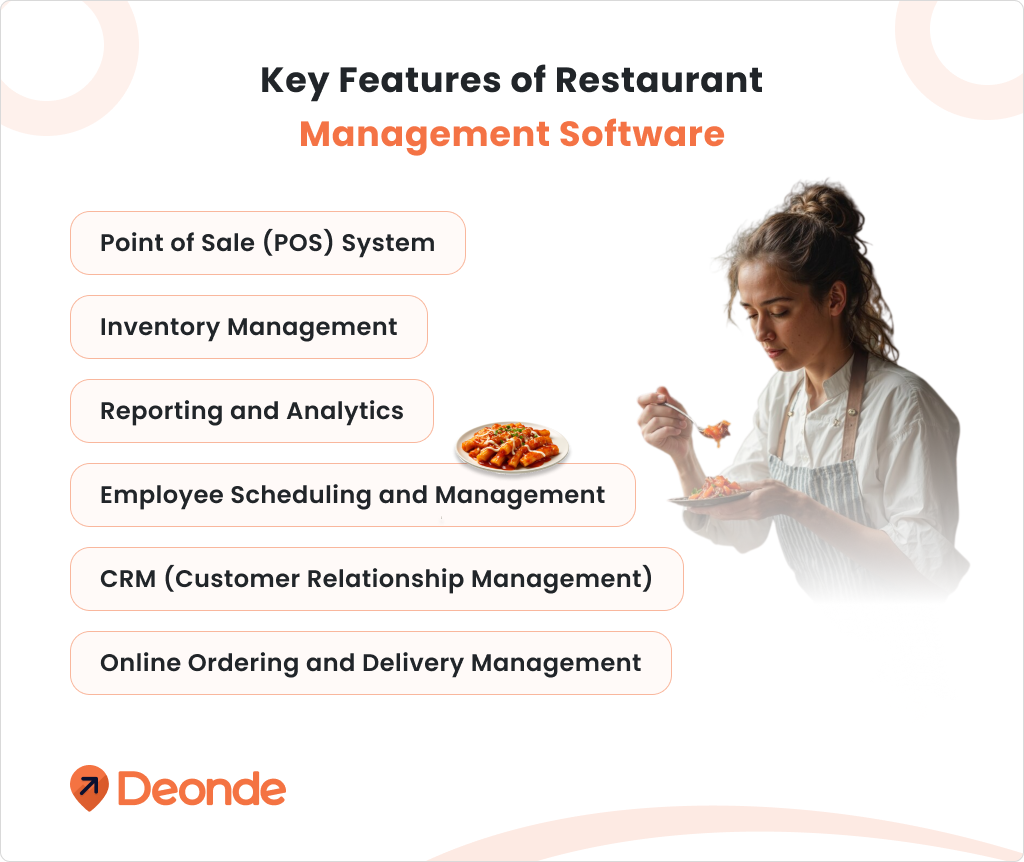
Key Features to Look for in Restaurant Management SoftwarePoint of Sale (POS) System
1. Mobile compatibility: You can take orders and process payments from all over the restaurant using a mobile POS. This can increase table turns by 15% and reduce order errors.
2.Integration with Other Modules: The POS must be able to integrate easily with other modules as well as third-party applications such online food ordering platforms and accounting software.
3.Customizable Menus: Easily update menus, prices, and specials to reflect your current offerings. This is especially useful for restaurants with seasonal menus or daily specials.
Inventory Management
1.Real-Time Tracking: Monitor stock levels in real-time to prevent shortages and overordering. The system should alert you when ingredients are running low.
2.Supplier Management: Streamline ordering processes and manage supplier relationships. You should be able to compare prices, track delivery times, and manage multiple suppliers.
3.Forecasting Tools: Predict inventory needs based on historical data and upcoming events. This can help reduce food waste by up to 30% and ensure you’re always prepared for busy periods.
4.Waste Management: Track and analyze food waste to minimize losses. The system should allow you to log waste reasons (e.g., spoilage, overproduction) to identify areas for improvement.
Employee Scheduling and Management
1.Shift Scheduling: Create and manage employee schedules efficiently. Look for features like drag-and-drop scheduling and the ability to set recurring shifts.
2.Time Clock Integration: Track employee hours and manage payroll more accurately with payroll software. This helps reduce time theft and ensures compliance with labor laws.
3.Labor Cost Control: Monitor labor costs in real-time and optimize staffing levels. The system should provide insights on peak hours to help you schedule staff more effectively.
4.Employee performance Tracking: evaluate staff performance and identify areas for improvement. Look for features that track metrics like sales per hour or customer feedback.
CRM (Customer Relationship Management)
1.Creating Customer Profiles: You get customer profiles for all customers from where you can start targeting offers and personalizing services. Keep track of things like preferred meals, allergies, and number of visits.
2.Loyalty programs Implement and run customer loyalty campaigns to keep them coming back often. Check if the merchant offers earning and redemption of points, targeted promotions, etc.
3.Feedback management: Get their feedback and use it to enhance the quality of your service. Sentiment-focused: It should be able to integrate with review platforms and conduct sentiment analysis.
4.Marketing Tools: Design focused marketing campaigns using customer data. Incorporate features such as email marketing integration and the ability to separately target customers according to their preferences or behavior.
Reporting and Analytics
1.Sales Reports: analyze sales data by item, time period, or location. Look for customizable reports that can break down sales by menu category, daypart, or individual staff member.
2.Inventory Reports: Track inventory turnover and identify slow-moving items. The system should provide insights into food costs and help optimize your menu pricing.
3.Employee performance reports: Evaluate staff productivity and efficiency. Look for reports that show metrics like average ticket size, upsells, and customer satisfaction scores per employee.
4.Customer insights: Gain valuable insights into customer preferences and behavior. The system should provide data on popular dishes, peak dining times, and customer demographics.
Online Ordering and Delivery Management
1.Online Ordering Integration: Seamlessly integrate online food ordering with your in-house POS system. This ensures that all orders, whether in-person or online, are processed through the same system.
2.Order Management: Efficiently manage and track both in-house and delivery orders. Look for features that allow you to set different prep times for dine-in, takeout, and delivery orders.
3.Menu Customization: Easily update your online menu to reflect current offerings and specials. The system should allow you to quickly add or remove items, adjust prices, and highlight promotions.
4.Payment Processing: Securely process various payment methods for online and in-person transactions. Look for systems that support multiple payment gateways and offer fraud protection.
Essential Questions to Ask Before Choosing a Restaurant Order Management System
1. Should We Build a Custom System or Buy a Ready-Made One?
This is the “million-dollar question” that usually comes up first for growing chains. Do you subscribe to a SaaS (Software as a Service) platform like Deonde or Ressto, or do you hire developers to build your own proprietary app?
Ask yourself: “Is our tech needs truly unique?” For 95% of restaurants, a ready-made solution with an open API is the smarter financial choice. Only build if you have a massive budget and a specific workflow that no existing software can solve.
2. Does the System Support All Your Ordering Channels?
Modern food service is not just about dining in or delivery—it is about being everywhere your customer is. If your OMS cannot handle every stream of revenue, you will end up with fragmented data and accounting headaches.
Why this matters: You need a central hub. If your WhatsApp orders are on a phone, your Zomato orders on a tablet, and your Dine-in orders on a POS, your kitchen operations will be chaotic.
What to look for: Ask the provider explicitly if the system supports and aggregates orders from all of the following sources:
- Dine-in orders: Seamless table management and KOT (Kitchen Order Ticket) printing.
- Takeaway: Efficient handling of pickup orders to minimize counter congestion.
- Website orders: Direct integration with your own branded website.
- Mobile app orders: Native support for your brand’s iOS/Android app.
- WhatsApp ordering: Crucial for markets where chat-commerce is growing; can customers order directly via chat bot?
- QR-code ordering at tables: Scan-to-order functionality for contactless service.
- Delivery partners: Direct integration with major aggregators like Zomato and Swiggy (eliminating the need for separate tablets).
- Self-service kiosks: Support for in-store touchscreens to reduce queue times.
3. Does the System Integrate Seamlessly with My Existing POS System?
This is the deal-breaker. Your Point of Sale (POS) is the source of truth for your finances.
Why this matters: Without seamless integration, staff must manually re-type orders from a tablet into the POS. This “double entry” doubles labor costs and triples the risk of errors (like missing allergy notes).
What to look for: Ask for “bi-directional” integration. You want a system where an online order flows directly to the kitchen printer (KDS) without human intervention. Verify it works with your specific POS version (e.g., Toast, Clover, Micros, Square).
4. Can It Handle High-Order Volumes and Scale with Growth?
Every system works fine with five orders an hour. The real test is the Super Bowl Sunday rush.
Why this matters: System crashes during peak hours are catastrophic. If the server overloads and orders stop printing, your kitchen goes blind.
What to look for: Ask about their “Uptime SLA” (Service Level Agreement). Do they guarantee 99.9% uptime? Ask for case studies of their largest clients to prove they can handle high concurrency.
5. Is the Interface Intuitive and Easy for Staff to Use?
Restaurants have high turnover. You cannot afford to run a three-day training seminar for every new hire.
Why this matters: Complexity kills speed. If a server has to click five times to add “extra cheese,” the system is failing.
What to look for: Do the “Grandmother Test.” If you put the tablet in front of someone with zero tech experience, could they take an order in under two minutes? Look for large buttons and clear, color-coded prompts.
6. Are There Features for Menu Management and Real-Time Updates?
You change a price on your POS. Does it update on UberEats automatically?
Why this matters: If you run out of avocados, you need to “86” (remove) that item from your POS, website, and delivery apps instantly.
What to look for: “Master Menu Management.” You should be able to make a change in one dashboard and have it push to all endpoints immediately.
7. Who Owns the Customer Data?
This is a legal and strategic question. When a customer orders through the system, who owns that record—you, or the software provider?
Why this matters: If you decide to leave this vendor in two years, can you take your customer list with you? Some vendors hold your data hostage or claim “co-ownership,” preventing you from exporting your own client list.
What to look for: Read the Terms of Service carefully. You want a clause that states “The Client retains full and exclusive ownership of all Customer Data.” You should be able to export your data to a CSV file at any time, for free.
8. Does the System Capture Customer Data for a CRM?
Capturing an order is “operations.” Capturing a customer profile is “marketing.”
Why this matters: You need to know who your VIPs are. If “John Smith” orders every Friday, your system should flag him as a VIP. You need email addresses and phone numbers to market to them directly, bypassing the commissions of third-party apps.
What to look for: Does the OMS feed data into a CRM (Customer Relationship Management) tool?
- Can it tag customers (e.g., “Vegan,” “High Spender,” “Wine Lover”)?
- Does it save order history so you can send a “Re-order your favorite meal” email?
9. Does It Support Loyalty Programs?
Acquiring a new customer costs 5x more than retaining an existing one.
Why this matters: Your OMS should integrate with loyalty platforms (like Punchh or Paytronix). If a customer scans their app, the system should instantly apply their rewards without the cashier doing math.
10. Does It Support Mobile Ordering for Customers?
The modern guest prefers “Scan to Order” over waiting for a server.
Why this matters: Mobile ordering typically increases ticket size by 15-20% because guests feel less judged when adding upsells (like that extra dessert) on their phone.
11. What Payment Modes Are Supported?
Friction at payment kills the experience.
What to look for: Support for Apple Pay, Google Pay, Tap-to-Pay, and “Text-to-Pay” (sending a bill to a customer’s phone).
12. Can It Manage Multiple Locations or Cloud Kitchens?
If you run “Joe’s Pizza” and “Joe’s Wings” out of the same kitchen, can the system handle it?
What to look for: “Virtual Brand” support. The ability to route multiple brands to one printer while keeping sales data separate.
13. Does It Guarantee App Store Approvals?
If they are building you a white-label app, will Apple actually approve it?
Why this matters: Apple and Google frequently reject “templated” apps. You need a vendor with a track record of getting branded apps approved and maintaining them through iOS updates.
14. How Does the System Handle Third-Party Refunds and Disputes?
Managing refunds is often the most frustrating part of using apps like UberEats or DoorDash. Usually, you have to log into the specific tablet for that app to process a refund or dispute a claim, which wastes time during a rush.
- Why this matters: If a customer complains about a missing item, you want to handle it instantly. If you have to juggle three different tablets to find the order and approve the refund, your staff will get stressed, and you might lose the chance to dispute a false claim.
- What to look for: “Centralized Dispute Management.” Ask if the OMS allows you to view, accept, or challenge a refund request from all delivery platforms directly on your main dashboard, without needing to open the specific delivery app.
15. Does It Support “Hybrid Delivery” (Your Drivers + On-Demand Dispatch)?
Many restaurants are moving to a hybrid model: they use their own drivers when it’s slow (to save on commission) but want to “overflow” orders to third-party drivers (like DoorDash Drive or Uber Direct) when they get busy.
- Why this matters: You shouldn’t be paying high commissions on every order if you have a staff member sitting idle who could deliver it. Conversely, you don’t want to stop taking orders just because your driver is stuck in traffic.
- What to look for: “Auto-Dispatch Logic.” Does the system automatically assign the order to your own driver first, and then automatically call a third-party driver if your team is busy? This automation saves massive amounts on commission fees.
Conclusion
Choosing the right restaurant management software is crucial for the success of your business in today’s competitive market. By carefully considering your specific needs and evaluating the key features outlined in this guide, you can select a solution that will help streamline your operations, enhance customer experience, and drive growth.
Remember that the best restaurant management system is one that not only meets your current needs but can also scale with your business as it grows. Take the time to research and compare different options, and don’t hesitate to request demos or trials before making your final decision.
Deonde is a leading monthly subscription based (SaaS-based) restaurant management software provider. We have various plans to suit your unique requirements. We can also customize the software to meet your brand and business requirements. In addition, we have dedicated teams of developers to provide you with support and services. We keep working on the improvement of our SaaS solutions. And, we regularly update them with new features according to the changing environment of the business world too. Curious? Want to know more? Get in touch with us to know more now.
- Pros And Cons Of Monthly Subscription (SaaS) Model For Food Ordering And Delivery System
- Empower Restaurant Business With Monthly Subscription Of Food Ordering And Delivery Solutions From DeOnDe
- SaaS-Based Online Food Ordering And Delivery App: Launch Your Complete System In Just 3 Days
- SaaS-Based Solutions vs On-Premise vs Off-Premise Cloud-Based Solutions For Startups & Businesses