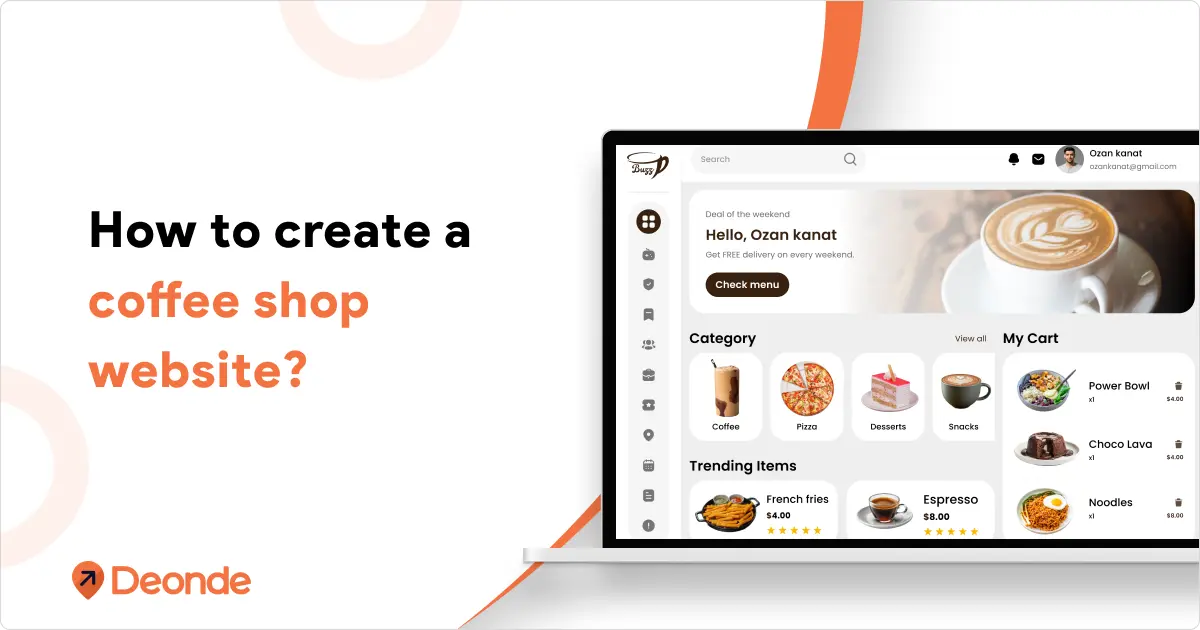
In today’s fast-paced world, a coffee shop without a website is like a latte without the espresso, missing the most essential ingredient. Whether you’re a neighbourhood café, an artisanal coffee bar, or a rapidly growing franchise, a well-crafted website is necessary to grow your brand, boost visibility, and drive online orders.
Your customers are on the go and want convenience. They want to browse your menu online, order their favourite brew from their phone, and skip the line. Your website should give them that freedom, with ease, style, and function.
A professional, mobile-friendly website gives them that freedom while also telling your story, showing off your vibe, and building loyalty.
This blog is your step-by-step guide to building a beautiful, functional coffee shop website with a powerful cafe online ordering system. Whether you’re launching from scratch or upgrading your digital storefront, this guide will walk you through everything you need to succeed online.
Let’s dive in and turn your coffee shop into a digital destination.
Why Does Your Coffee Shop Need an Online Ordering Website?
Look, we get it. You might think, “I’m just a small coffee shop – do I really need a website?” The short answer is yes. Here’s why:
- Your customers are already looking for you online: When someone wants coffee, they don’t flip through the Yellow Pages. They Google “coffee near me” or check Instagram. If you’re not there, they’ll find someone who is.
- You can serve customers 24/7: Your website never sleeps. Someone can order their morning coffee at midnight, and you’ll have their order ready when they arrive.
- It makes your life easier: No more taking phone orders or explaining your menu over and over. Everything’s right there on your site.
- Building Trust: A professional website with your story, menu, and reviews fosters loyalty and attracts new patrons.
- Expanding Reach: Shareable links and social media integration bring your coffee shop to a broader audience.
Whether you’re a cozy local cafe or an aspiring chain, an online ordering website is your key to brewing success.
Step-by-Step Guide to Creating a Coffee Shop Website
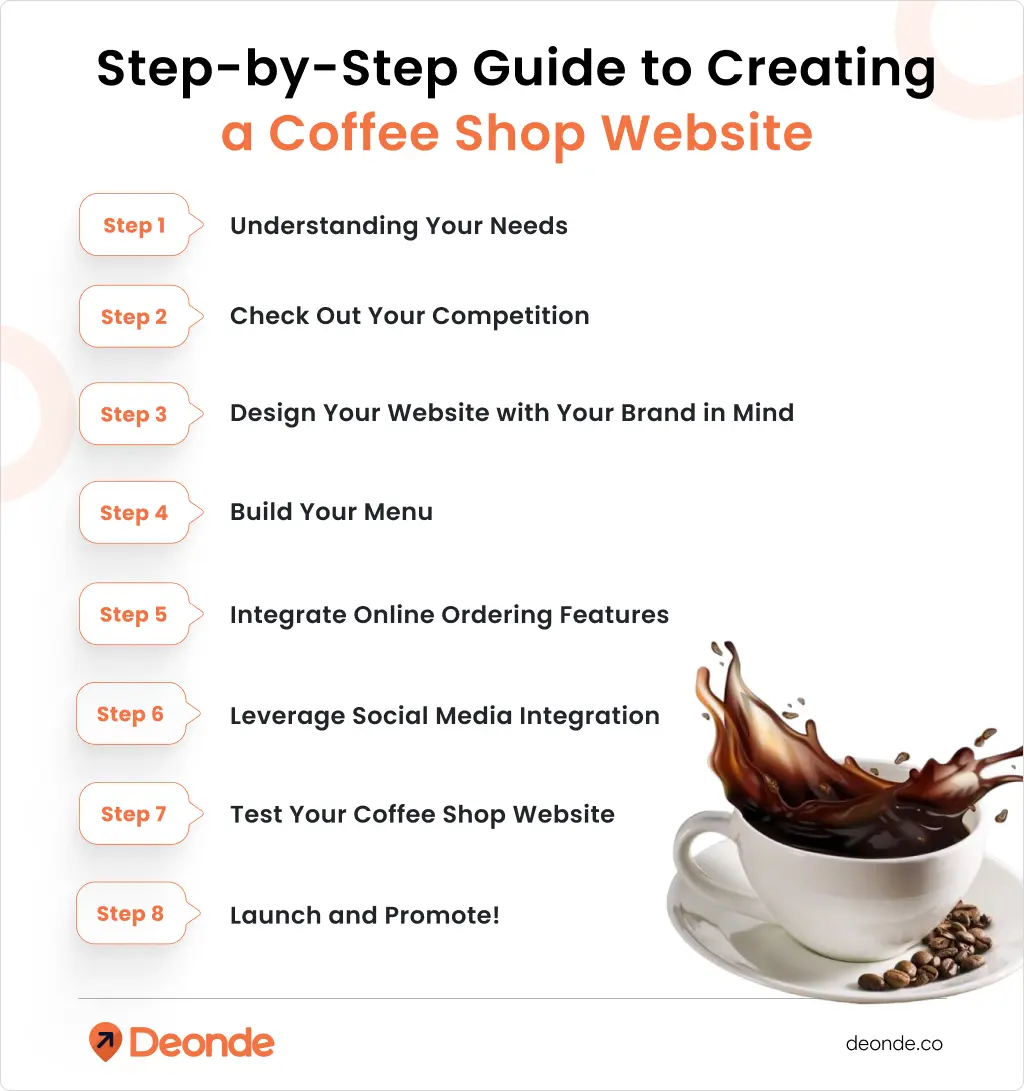
Let’s break down the crafting of a coffee shop website that’s irresistible as your signature espresso. Follow these steps to create a functional, visually stunning site that is optimized for online ordering.
Step 1: Understanding Your Needs: The Foundation of Your Coffee Shop Website
Before you start building, clarify what you want your website to achieve. Common goals for a coffee shop website include:
- Showcasing your menu and specials to entice visitors.
- Enabling online ordering for takeout or delivery.
- Sharing your cafe’s story to connect with customers emotionally.
- Providing easy access to contact details and location.
Ask yourself these key questions:
- Who is my target audience (e.g., local coffee enthusiasts, remote workers, or tourists)?
- What is my budget for building a cafe website?
- Do I want to focus on online ordering, reservations, or both?
- How will my website reflect my cafe’s unique vibe?
Having clear goals ensures your website aligns with your business vision.
Step 2: Check Out Your Competition (But Don’t Copy Them)
Visit 5-10 coffee shop websites in your area. We’re not saying copy them, I’m saying learn from them. Ask yourself:
- What do you like about their sites?
- What’s confusing or annoying?
- What’s missing that you wish were there?
- How easy is it to find their menu and prices?
Take notes. This research will save you from making the same mistakes they did.
Step 3: Design Your Website with Your Brand in Mind
Your website should reflect your cafe’s personality, whether it’s cozy and rustic or sleek and modern. Here’s how to nail the design:
- Colour Scheme: Match your site’s colours to your cafe’s interior. For a warm vibe, use earthy tones like brown and beige. For a modern look, opt for black, white, or bold accents.
- Typography: Choose clean, readable fonts like sans-serif styles (e.g., Roboto or Open Sans) to ensure menus and text are legible on all devices.
- High-Quality Images: Consider professional photos of your coffee, pastries, and cafe ambience. Avoid stock images; they lack authenticity. As Toast suggests, original photos boost engagement and SEO performance.
- Mobile-Friendly Design: With most users browsing on smartphones, ensure your site is responsive. Test navigation, text size, and button placement on mobile devices. A poor mobile experience can lead to 57% of users not recommending a business.
Step 4: Build Your Menu (The Heart of Your Online Ordering)
Your online menu needs to be meticulously accurate and user-friendly.
- Categorise Clearly: Group items logically
- Add Item Details: Include options like size, milk alternatives, syrup additions, decaf/regular. Ensure prices update dynamically with selections.
- High-Quality Images: We can’t stress this enough. A beautiful photo of a latte will sell more than just text.
- Inventory Management: If you’re selling bags of beans or merchandise, ensure you can track inventory to avoid overselling.
Step 5: Integrate Online Ordering Features
Online ordering is the heart of a modern coffee shop website. Here’s how to make it shine:
- User-Friendly Interface: Ensure the ordering process is simple, select items, customise (e.g., oat milk or extra shots), and checkout in a few clicks.
- Secure Payment Gateway: Integrate trusted options like Stripe, PayPal, or Square for safe transactions.
- Order Alerts: Set up instant notifications for new orders to ensure timely fulfilment.
- Order History: Allow customers to track past orders and reorder favourites easily.
- Delivery Integration: Partner with services like DoorDash or Uber Eats for seamless delivery options.
Step 6: Leverage Social Media Integration
Social media is your cafe’s megaphone. Integrate it into your website to drive traffic:
- Shareable Links: Add social sharing buttons to let customers promote your menu or specials on platforms like Instagram or Facebook.
- Embedded Feeds: Display your latest Instagram posts to showcase your cafe’s vibe.
- CTAs: Include links to your social profiles in the footer or header for easy access.
Regularly post updates about new drinks or events on social media, linking back to your website’s ordering page to drive sales.
Step 7: Test Your Coffee Shop Website Before You Go Live!
Don’t skip this crucial step.
- Place Dummy Orders: Act as a customer. Go through the entire ordering process from start to finish. Check every button, every link, every customisation option.
- Test Payment Process: Ensure payments go through correctly.
- Test on Multiple Devices: Check responsiveness on desktops, laptops, tablets, and various smartphones (iOS and Android).
- Get Feedback: Ask friends, family, or trusted customers to test your site and give honest feedback.
Step 8: Launch and Promote!
Once you’re confident, it’s time to unleash your website to the world.
- Announce on Social Media
- Email Marketing
- In-Store Promotion: Put up signs in your physical shop, hand out flyers, and tell your baristas to mention it to customers.
- Update Your Google Business Profile
- Search Engine Optimisation (SEO):
-
- Use Keywords: Naturally integrate keywords like “create a coffee shop website,” “online coffee ordering,” “best coffee delivery platform,” “cafe website builder,” and “online menu for coffee shop” throughout your site.
- Descriptive Titles and Meta Descriptions: Craft compelling titles and descriptions for each page, including keywords.
- Optimise Images: Use descriptive file names and alt text for your photos.
- Mobile-First Indexing: Ensure your site is mobile-friendly, as Google prioritises this.
- Good Quality Content: Regularly update your site with fresh content, such as a blog post about a new coffee bean or a special seasonal drink.
- Consider Paid Ads (Optional): Google Ads or social media ads can give you an initial boost in visibility.
By now, you’ve seen the steps to create a stellar coffee shop website. It might feel overwhelming, time-consuming or costly. Don’t worry! You can skip the stress with Deonde. This service builds your fully functional website in just 48 hours, meeting all your needs without breaking the bank.
With Deonde’s subscription-based model, you get a professional, mobile-friendly website with online ordering, SEO, and more, all for a small monthly payment. No high upfront costs, no coding headaches. Focus on brewing great coffee while Deonde handles your digital storefront!
Post-Launch: Keeping Your Coffee Shop Website Brewing Strong
Launching your website isn’t the end; it’s just the beginning. Ongoing maintenance and optimization are key to its success.
- Regular Menu Updates
- Monitor Orders and Feedback
- Analyze Website Data to Understand Customers
- Website Performance
- Security Updates
- Promote New Features
Real-World Scenarios and Actionable Tips
Let’s imagine some common scenarios and how your website can help.
Scenario 1: The Morning Rush Hero
- Problem: Customers queue up, making your small cafe feel cramped and slowing down service for everyone.
- Website Solution: Promote your online pre-ordering system heavily. “Skip the line! Order ahead for pickup at [Your Coffee Shop Name].”
- Actionable Tip: Offer a small discount for first-time online orders or a free pastry with pre-ordered coffee to encourage adoption. Display QR codes in your shop that link directly to your online menu.
Scenario 2: The Customer Loyalty Challenge
- Problem: You want to reward your regulars and encourage repeat business.
- Website Solution: Integrate a loyalty program directly into your online ordering system. Customers earn points with every online purchase.
- Actionable Tip: Make it easy to sign up. Offer exclusive online-only rewards or early access to new seasonal drinks for loyalty members.
Scenario 3: The Gift-Giving Opportunity
- Problem: Customers want to share their love for your coffee with friends and family, especially for special occasions.
- Website Solution: Offer digital gift cards directly through your website. This is a huge revenue booster.
- Actionable Tip: Promote gift cards around holidays and special events. Make the purchase process simple and allow immediate email delivery to the recipient.
The Bottom Line
Your coffee shop website doesn’t need to be perfect. It just needs to help people find you, understand what you offer, and make it easy to buy from you.
Start simple, focus on what your customers actually need, and improve it over time. The most important thing is to get started.
Remember: you already know how to make great coffee and create a welcoming space. Building a website is just another way to share that with more people.

Questions Coffee Shop Owners Ask Me
Q: How much does a coffee shop website cost?
A: The cost varies depending on features and complexity. With Deonde’s SaaS solutions, you can get a professional website with online ordering for a low monthly subscription, avoiding high upfront costs. Check Deonde’s pricing for details.
Q: Can I integrate my existing POS system?
A: Yes, many platforms, including Deonde, support POS integration to streamline operations. Ensure your POS is compatible and discuss integration options with your provider.
Q: How long does it take to set up a coffee shop website?
A: With Deonde, you can have a fully functional website in just 48 hours. Custom solutions may take longer, but SaaS platforms make it quick and easy.
Q: How do I drive traffic to my website?
A: Use SEO, social media, and restaurant marketing strategies like promotions, QR codes, and email campaigns to attract customers.
Q: Can I offer delivery through my website?
A: Absolutely! Integrate delivery options with partners like DoorDash or build your own delivery system using Deonde’s solutions for seamless order fulfilment.