A tiffin delivery website lets customers browse menus, subscribe to daily meals, and pay online replacing WhatsApp orders and phone calls.
Using a ready-made white-label platform instead of custom coding, tiffin businesses can launch a fully branded ordering website in 24 hours, without hiring developers.
Did you know Tiffin and daily meal subscription services are growing roughly 15% year-over-year, as more customers choose home-style meals over restaurant food.
Also Home-based tiffin businesses report gross profit margins of 40–50% and break even in as little as 2–3 months with 25–30 regular subscribers.
If you’re exploring tiffin delivery software options, this guide walks you through the exact process.
Must-Have Features for a Tiffin Delivery Website
Before you launch, your site needs five things working together: a menu builder, subscription plans, online payments, delivery zone mapping, and order tracking. Skip any one, and customers drift back to booking you over WhatsApp.
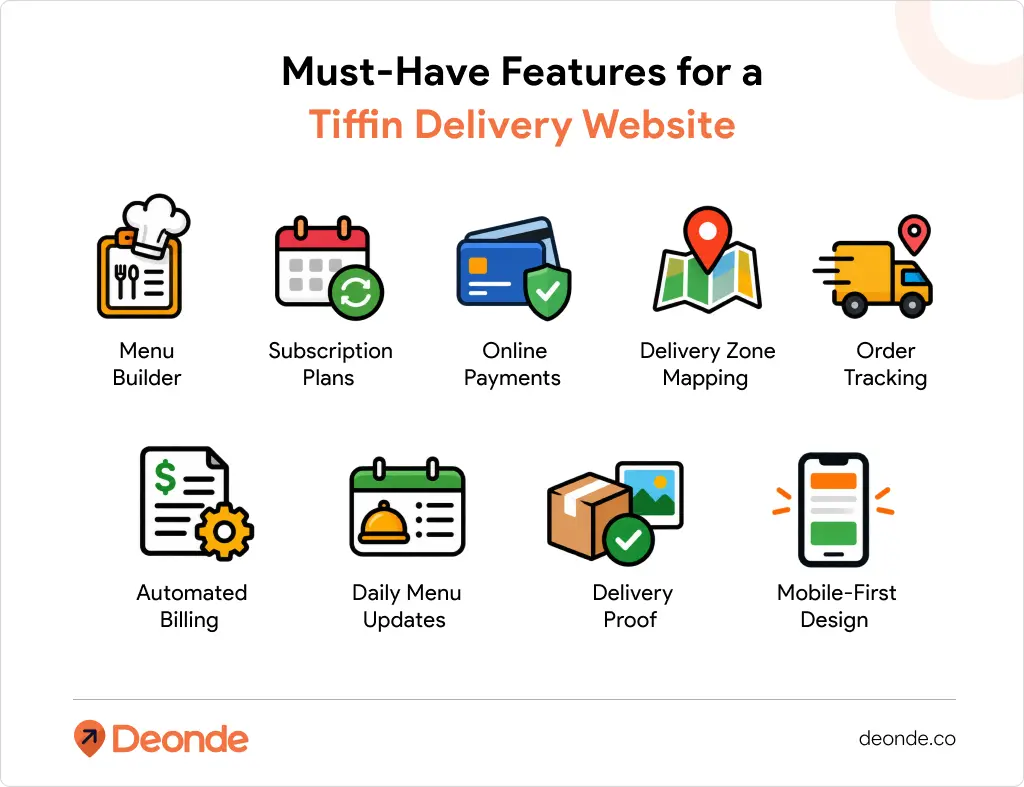
- Menu builder — daily or weekly menus with photos, veg/non-veg tags, and add-ons like extra roti or a dessert.
- Subscription plans — 7-day, 15-day, and monthly options, with a skip-a-day setting for travel or holidays.
- Online payments — UPI, cards, and wallets, so customers pay upfront instead of “I’ll send it Friday.”
- Delivery zone mapping — set exactly which localities or pin codes you serve, so no one orders from 12 km away.
- Order tracking — customers see today’s status; you see tomorrow’s headcount at a glance.
- Automated billing — recurring payments and wallet top-ups, with no manual follow-ups
- Daily menu updates — morning notifications so customers know what’s coming before they order
- Delivery proof — photo or OTP confirmation logged on every drop
- Mobile-first design — most tiffin subscribers order and manage plans from their phone
What’s the Difference Between a Custom-Coded and a Ready-Made Tiffin Website?
A custom-coded tiffin website is built from scratch by developers, giving you full control over every feature but requiring months of build time. A ready-made tiffin website runs on existing white-label software menu builder, subscriptions, and payments already built so you configure instead of code.
- Development approach — custom code is written line-by-line for your exact spec; a ready-made platform is pre-built and set up through an admin panel.
- Time to launch — custom builds typically run 2–3 months minimum; a ready-made site can go live within 24 hours to a few days.
- Who maintains it — with custom code, you own every bug fix and server update; a ready-made platform pushes updates and security patches for you.
- Feature completeness — custom builds start blank, so subscriptions, route optimization, and payment gateways all have to be built one by one; ready-made platforms include them from day one.
- Ownership & flexibility — custom code gives you full source-code ownership and unlimited customization; a ready-made platform trades some of that flexibility for speed and lower cost.
That trade-off is why most tiffin operators start with a white-label food delivery software platform instead of a from-scratch build, then layer on custom features later if the business genuinely needs them.
Step-by-Step: Launch Your Tiffin Delivery Website in 24 Hours
Here’s a realistic timeline: finalize your offer, build and brand the site, connect subscriptions and payments, test it, then start sharing your link in that order.
Hours 1–4: Finalize Your Menu, Pricing, and Plans
Decide your weekly menu rotation, portion sizes, and pricing for single meals versus 15-day and monthly plans before touching any software. A clear offer is what makes every step after this fast.
Hours 5–10: Set Up Your Branded Ordering Website
Building a custom ordering website usually means hiring a developer, buying hosting, and wiring up a payment gateway separately, often 4–8 weeks and a five-figure budget most home kitchens don’t have lying around.
Pro Tip: In our experience working with home cooks and small tiffin operators, the ones who grow fastest skip the custom-build route entirely.
A ready-to-use platform like Deonde gives you a branded tiffin website with menus, subscriptions, and payments already built in so you spend hour six customizing a live site, not waiting on a developer’s quote.
Hours 11–16: Configure Subscriptions and Payments
Set your 7-day, 15-day, and monthly plans with pricing and skip-day rules, then connect a payment gateway so customers pay at sign-up, not after the fact.
Good subscription management tools built for food businesses let you set delivery frequency, plan tiers, and billing cycles from one screen renewals then run automatically after the first sign-up.
Hours 17–20: Set Delivery Zones and Test a Dummy Order
Mark out the localities you can realistically serve without food arriving cold, then place a test order yourself, start to finish, exactly as a customer would.
Check the confirmation message, the payment receipt, and the order summary your kitchen will see. Fix anything confusing now, before a real customer hits the same snag.
Hours 21–24: Go Live and Start Sharing
Add your website link to your Instagram bio, WhatsApp status, and any local community groups you’re part of. Message your existing customers first — they convert fastest, since they already trust your food.
How Much Does a Tiffin Delivery Website Really Cost?
Custom development costs vary widely and can run into the thousands of dollars before launch, plus ongoing maintenance.
White-label SaaS platforms flip this model plans on platforms like Deonde start from around $49 a month, with zero per-order commission, though it’s worth confirming current pricing for your exact plan.
| Custom-Built Website | White-Label Platform | |
| Time to launch | 2–3 months | 24 hours to a few days |
| Upfront cost | High (developer + designer) | Low monthly subscription |
| Ongoing maintenance | Your responsibility | Handled by the platform |
| Commission per order | None, but tech debt adds up | 0% |
Mistakes to Avoid When Launching Your Tiffin Website
The costliest tiffin website mistakes aren’t technical, they’re decisions made too fast in the first week. Watch for these four in particular:
- Skipping the skip-a-day option, customers who travel often will cancel entirely if they can’t pause a plan instead of losing paid-for days.
- Underpricing to “test the market” raising prices later on existing subscribers causes more churn than pricing fairly from day one.
- No delivery zone limit one bad experience with cold, late food from a too-far delivery can cost you a subscriber for months.
- Skipping the test order your first real customer shouldn’t be the one who finds a bug on your payment page.
If you’re still deciding between just a website and a fuller business plan, this guide to starting an online tiffin delivery business covers licensing, kitchen setup, and early marketing alongside the tech.
Real-World Example: From Home Kitchen to Online Tiffin Service
Case: Priya’s Kitchen, Mumbai
- Week 1: Priya cooked for 8 neighbors. Revenue: ~$67.20/month (8 customers × ~$0.84 × 30 days).
- Month 2: She set up a Deonde-powered ordering website. Added subscription plans. Customers could pause, skip, or modify deliveries.
- Month 6: 45 regular subscribers. Revenue: ~$1,276/month. Profit margin: 35% after food costs, delivery, and platform fees.
- Month 12: 90 subscribers across 3 delivery zones. Hired 2 delivery staff. Monthly revenue: ~$2,552.
The website didn’t just add an ordering channel, it gave Priya a subscription engine that reduced churn, automated billing, and freed her to focus on cooking instead of chasing payments.
Scaling Beyond the First 24 Hours
Your website launches in a day. Your business grows over months. Here’s how to scale once you hit 30+ subscribers.
Phase 1: 30–50 Subscribers (Month 2–3)
- Add a referral program give ~$2.10 off for every new subscriber referred
- Collect and display Google reviews social proof drives 60% of new sign-ups
- Optimize your delivery routes group nearby customers to cut delivery costs
Phase 2: 50–100 Subscribers (Month 4–6)
- Hire a dedicated delivery person the trigger point is 25–30 active subscribers (Source: AI Mind India, 2025)
- Add breakfast or dinner service to increase average order value
- Consider a hyperlocal food delivery marketplace model if you want to onboard other home cooks
Phase 3: 100+ Subscribers (Month 6+)
- Move to a commercial kitchen if home capacity maxes out
- Add corporate bulk orders offices order 20–50 tiffins daily at negotiated rates
- Explore franchise or multi-location models
According to Sharda Associates (2026), a tiffin business with 150 subscribers at ~$42/month generates ~$6,300 per month in subscription revenue alone.
Start Taking Orders on Your Own Terms
Your tiffin delivery website doesn’t need to be perfect on day one. It needs to be live, so your regulars can subscribe and pay without a single WhatsApp back-and-forth.
If you’re already managing 50+ tiffin subscribers on spreadsheets, every week without automated billing and route planning is lost margin.
See how other operators made the switch in this deeper with the tiffin delivery software guide on scaling past your first 100 customers.
Finalize today’s menu, pick a platform, set your plans, and share your link before the day ends. The next subscriber you get is one you didn’t have to chase down.