
"Deonde's team was fantastic in creating our own ordering app. It's made a real difference in how we operate, and our customers are finding it so convenient. Highly recommend their service!"Read Chowman Case Study →
Move With Market Trends And Adopt Restaurant Menu Management Software
Tired of managing menus in too many places? Deonde lets you create, update, and sync menus across all your restaurant locations and ordering channels — from one centralized dashboard.
- No credit card required
- Live in hours
- Dedicated onboarding support
Trusted by 300+ brands worldwide









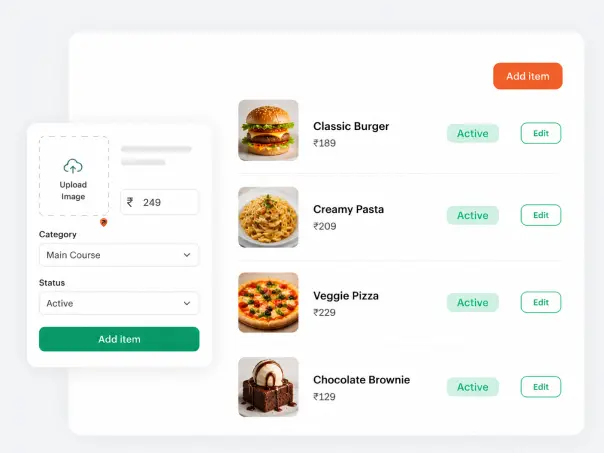
Simple Menu Builder
Save Time with an Easy-to-Build Menu
Create restaurant menu by dragging items into categories. No design or coding skills needed. With a menu maker like Deonde, you can quickly add appetizers/starters, plates, and sweet treats. Then, reorder sections to show customers exactly what they need.
This online food menu management system keeps setup simple, so a new menu goes live instantly. Any change you make on the dashboard shows up on the live menu right away. So customers always see your latest update.
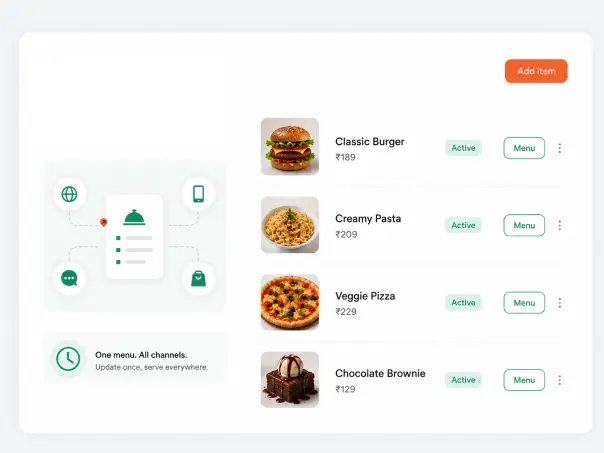
Omnichannel Sync
One Digital Restaurant Menu, Every Ordering Channel
Most restaurants update their menu in five different places: the customers app, QR code on the table, a web restaurant ordering, or a delivery app, and in-store displays. A restaurant menu management system that syncs everywhere removes that repeated work.
This matters most during busy hours. If an item runs out, marking it as unavailable updates the online menu across every channel right away. So customers won’t order dishes the kitchen can’t prepare.
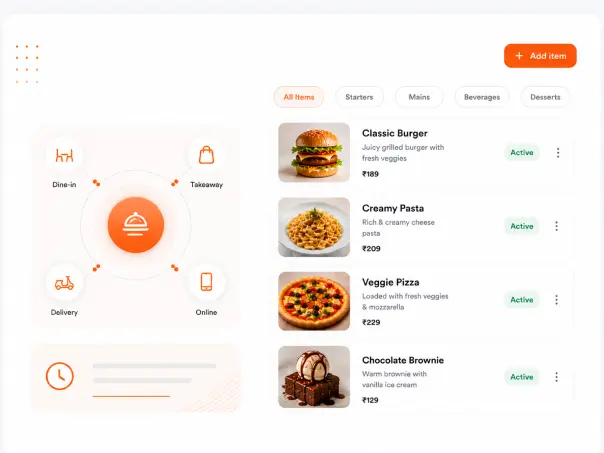
Flexible Menu Scheduling
Menus That Adapt to How Your Restaurant Actually Runs
A menu management software helps restaurants with multiple locations. It can switch between breakfast, lunch, and dinner menus based on the time of day. Each outlet keeps its own prices and stock.
The same food menu management system works well beyond restaurants too. Cafes, bakeries, and even a grocery store menu can be organized, priced, and swap out items through the same simple dashboard, without extra staff or training.
Guest Personalization
Improve the Guest Experience with Personalization Features
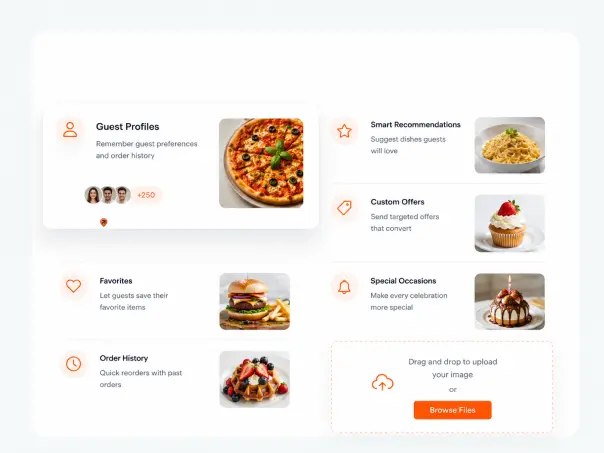
Guests want more than just a static list. A digital menu lets you showcase seasonal specials, extra toppings, dietary options, and combo deals. This way, every customer can find something that suits their preferences.
With Deonde’s menu management system for restaurants, you can tailor what each customer sees based on location, order history, or time of day. Their menu experience feels relevant without extra work on your end.
POS Integration
Streamline Operations with POS Integrations
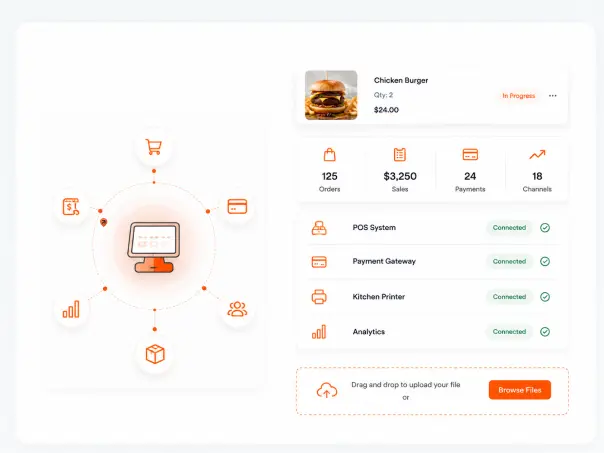
A menu management software should connect to what you already use. Deonde integrates directly with major POS systems, so when a menu item sells out in-store, it updates on your online ordering platform automatically — no manual syncing required.
This level of restaurant menu management reduces errors between your kitchen and digital channels. Staff spend less time cross-checking inventory and more time focusing on the guest experience in the restaurant.
Features of Menu Management System
What You Get with Deonde’s Menu Management Software
Deonde’s menu management System helps restaurants centralize, update, and publish menus across web, mobile, and delivery channels with real-time control and consistent customer experiences.
Real-Time Sync Across All Channels
Every update flows to your web restaurant, app, POS, and delivery platforms at once, keeping online food, grocery, and in-store menus consistent and accurate.
Menu and Product Management
Organise your menu with multi-level categories — starters, mains, desserts, beverages — with subcategories and custom display order per section.
Item Photos & Descriptions
Upload high-quality photos and write descriptions for each item. Visual menus drive significantly higher average order values than text-only menus.
Combo & Bundle Creator
Build combo meals and bundle offers to increase average order value. Set combo prices, link items, and push them to the top of your menu for maximum visibility.
Time-Based Menu Scheduling
Schedule separate menus for breakfast, lunch, dinner, or special hours. They switch automatically, so your online food menu always matches service.
Instant Sold-Out & Availability Toggles
Mark items as unavailable the instant you run out. The change goes live in seconds across every channel — preventing orders for dishes you can’t fulfill.
Responsive Customer Menu
Your responsive customer menu automatically adapts to mobile, tablet, and desktop screens, for smooth browsing and ordering on any device or network.
Multi-Location Menu Management
Run menus for every outlet, brand, or region from one central menu management software. Push global changes while keeping location-specific pricing.
QR Code Menu Generation
Generate QR codes for tables, counters, and takeout points linked to your live digital menu. Update it once and the codes refresh, no reprinting.
How It Works
Your Menu Live in Three Steps
No developers, no technical setup. Build, configure, and publish your menu from the admin dashboard in a few hours.
Build Your Menu
Add categories, items, photos, prices, combos, and add-ons from the admin dashboard. Drag to reorder. Organise exactly the way you want customers to see it.
Configure Rules & Availability
Set time-based schedules, sold-out toggles, and location-specific pricing. Your menu adapts automatically — no manual intervention during service.
Go Live Everywhere
Publish and your menu is instantly live on your app, website, QR table ordering, and all connected channels. Make any future change once — it syncs everywhere.
More Than Menu Management
Restaurant Tools Built to Support Every Part of Your Business
Beyond menu management, Deonde gives you a full suite of restaurant tools to improve operations, build stronger customer relationships, and grow revenue across every channel.
Table Ordering
Table-side ordering for dine-in customers with menu browsing and order placement from the same device.
Loyalty Management
A built-in loyalty system for tracking repeat customers, rewards, and offer-based engagement.
Website Builder
A website builder for creating and managing your restaurant’s online presence and ordering page.
Mobile App Builder
A mobile app builder for setting up a branded ordering app for your restaurant.
Self Pickup
An online pickup ordering option that lets customers place orders and collect them from the restaurant.
Marketing Features
Tools for running offers, campaigns, and customer engagement activities from one dashboard.
Customer Stories
Real Stories from
Real Stories from
Founders Who Scaled with Deonde
See what our customers say about transforming their delivery business
"Starting our own delivery app felt overwhelming before Deonde. But they made it incredibly simple. We launched in less than a week, and our sales have grown significantly since then."Read HungryJi Case Study →
"Deonde has completely transformed how we handle orders. The admin panel gives us full control, and our customers love the smooth ordering experience. Best investment we've made."Read Munch Zimbabwe Case Study →
Why Deonde
Built for Business
Built for Business
Growth, Not Just Ordering
Everything you need to run a world-class delivery operation, included from day one
Easiest Usability
Intuitive dashboards your team can master in hours. No technical expertise required to get started.
Enterprise-Grade Security
Bank-level encryption, GDPR compliance, and monitored cloud hosting, with custom SLAs available for enterprise plans. Your data and your customers' data stays safe.
Better ROI
Zero commissions means every order goes directly to you. Most businesses recover their investment within the first month.
Constant Support
Dedicated onboarding team and 24/7 technical support. We're with you from setup to scale.
Periodic Updates
New features shipped every month. No extra cost, no downtime. Your platform evolves with market demands.
Access Anywhere
Manage your business from any device, anywhere. Full-featured web dashboard plus native mobile apps.
FAQ
Questions About Menu Management Software
Everything you need to know about managing your restaurant menu with Deonde.
Restaurant menu software is one type of software specifically built for managing menus easily and efficiently. It helps you create, update, organize, and control menu items, prices, photos, and availability from one place. It eliminates the need for printed menus by letting you update your menu instantly and display it online, on tablets, or through QR codes.
Yes. Every menu update syncs instantly across your website, app, POS, and delivery platforms to keep menus accurate everywhere.
Yes. Create your online menu once and update items, prices, photos, and availability anytime without affecting customer experience.
Yes. Manage menus for multiple locations from one dashboard while setting location-specific pricing, items, and promotions.
Create combos, meal deals, modifiers, and add-ons with flexible pricing to increase order value and offer more customer choices.
Yes. Generate QR codes linked to your live menu, so every update appears instantly without printing new QR codes.
Yes. Mark items available or sold out from your phone, and changes sync instantly across every connected ordering channel.
Further Reading on Menu Management
View all articles
Restaurants
Restaurant Menu Pricing Strategies In 2026
Best Restaurant Menu Pricing Strategies for 2026 - build a profitable Restaurant Menu by reading this cost effective Restaurant Menu Pricing Strategies blog.
Restaurants
Winter Menu Ideas For Restaurants In 2026
Winter Menu Ideas for Restaurants in 2026 - create a Winter Menu for your restaurant that will Boost your sale this Winter.
Marketing

Pizza Marketing Ideas To Get More Customers
10 proven pizza marketing ideas for independent pizzerias to attract more customers, own their data, and increase profit margins.
Part of the Deonde Restaurant Platform
Explore the Full Online Ordering System for Restaurants
This feature is part of Deonde's complete commission-free restaurant ordering platform — branded app, website, driver management, QR menus, and multi-location support. Used by restaurants across 24+ countries.