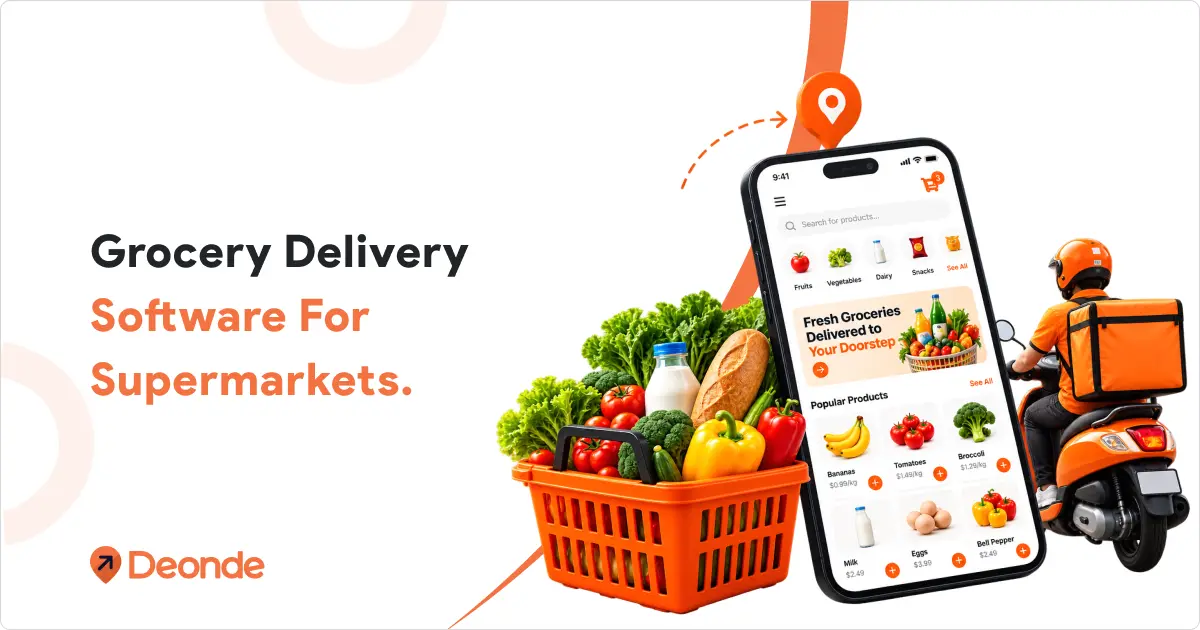
Grocery delivery software is the system that lets a supermarket take orders online, sync stock across stores, schedule delivery windows, and send drivers on the best routes — all under its own brand. It replaces commission-based apps with a platform the store owns and controls.
Three facts that set the stage:
- Third-party delivery apps take 15–25% commission on every order — and many mark up product prices by 20% or more on top of that.
- A 2026 Coresight Research survey found 56.3% of shoppers now buy groceries online, and delivery has passed pickup as the top way they get their orders.
- Building a custom grocery delivery app costs about 65,000–140,000 and takes 14–18 weeks. A white-label version can go live in days.
What Is Grocery Delivery Software?
Grocery delivery software is a ready-made system that runs a store’s online ordering and delivery from end to end. It handles the customer order, checks stock, books a delivery window, guides staff who pack the order, and tracks the driver to the door.
In many regions, grocery stores are simply called supermarkets, so “supermarket delivery software” and “grocery delivery software” mean the same thing. Either name points to the same tool.
It’s not one app. It’s usually four connected parts that pass orders between them in real time.
1. The customer app and website
Shoppers browse your catalog, add items to a cart, and pay. This is your storefront — and it carries your name, not someone else’s.
2. The store or merchant panel
Staff see incoming orders, update stock, adjust prices, and mark items sold out. Orders land here the second a customer checks out.
3. The picking and driver app
Pickers get a checklist and an aisle route to pack orders fast. Drivers get addresses, navigation, and a place to mark each drop-off done.
4. The admin dashboard
Owners see every store, order, driver, and dollar in one place. This is where you spot problems before customers do.
If you want the full mechanical walk-through of how these parts connect, see how an online grocery delivery app works.
Why Supermarkets Are Going Online in 2026
Supermarkets are moving online because that’s where the orders now are. Industry market estimates put online grocery past $655 billion in 2025, heading toward $795 billion in 2026 — about a 21% jump in one year.
The shift isn’t just about size. It’s about habit.
The numbers
- 56.3% of shoppers bought groceries online in the past year, up from 53.6% a year earlier (Coresight Research, 2026).
- Two-thirds now pick delivery as their main way to receive an order — and delivery has widened its lead over pickup.
- Nearly 38% use same-day or under-two-hour delivery for routine shopping.
What customers now expect
People expect the same store experience online that they get in the aisle: accurate stock, a delivery window that holds, and a quick fix when an item runs out. Miss any of those and they go back to the app that got it right.
Pro-Tip — Don’t treat online as a side channel. In 2026, delivery is a primary way people buy groceries. The stores winning are the ones that treat it as core business, not an experiment.
The Hidden Cost of Third-Party Delivery Apps
Third-party marketplace apps look convenient, but they quietly tax your supermarket twice — first on commission, then on price.
The consumer group Which? found that ordering everyday groceries through delivery apps cost shoppers at least 20% more than buying direct from the store — and some items were more than double the price.
Here’s how the money works against you:
| What you give up | What it costs you |
| Commission per order | 15–25% of every sale |
| Product markup | 20%+ added to your own prices |
| Customer data | The marketplace owns it, not you |
| Brand contact | Shoppers see the app, not your store |
Expert Advice — Based on the operators we work with, a supermarket doing $2M a year in online sales can hand 300,000–500,000 a year to platform fees. For many, that’s the entire profit margin on online orders.
The bigger loss is the customer. When someone orders through a marketplace, the app keeps the relationship, the data, and the reorder habit. You only keep the pack order.
What Grocery Delivery Software Actually Does
At its core, this software replaces five things you’d otherwise do by hand — or pay a marketplace 20% to do for you.
- Takes the order — a branded website or app where customers browse your real catalog and check out.
- Checks stock — real-time inventory sync that flags out-of-stock items before the order is confirmed.
- Books a window — delivery time slots so someone is home for chilled and frozen items.
- Moves it out the door — a driver app for automated order dispatching and live tracking.
- Takes payment and reports — built-in payments plus a dashboard showing orders, sales, and store performance.
Miss any one of these and the whole chain breaks. The order sits too long, the customer calls, and the next order goes to a competitor.
9 Must-Have Features for Supermarket Delivery Software
Buying a grocery platform is mostly about checking features against how a supermarket actually runs. These nine separate the tools built for grocery from generic ecommerce software with a grocery label.
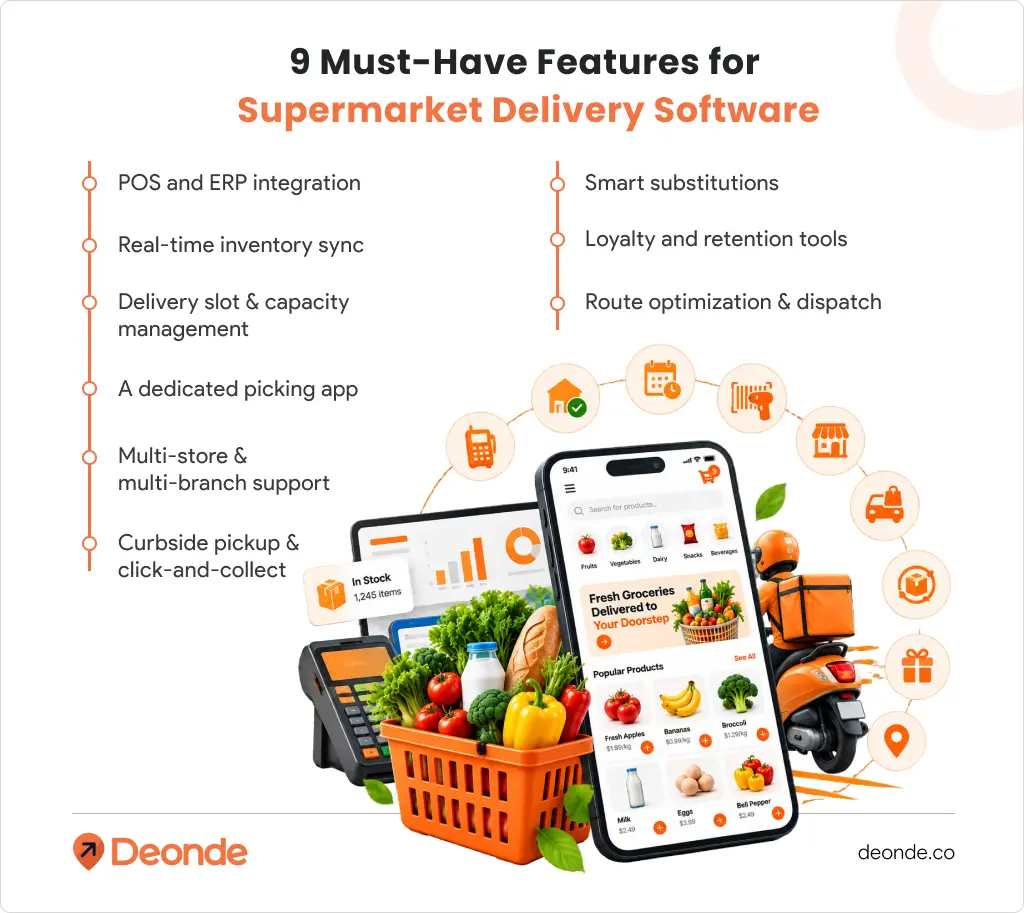
1. POS and ERP integration
Your point-of-sale and back-office systems stay the source of truth. Online sales should update store stock automatically — not through a nightly export. Ask any vendor to show you their POS and ERP integrations live.
2. Real-time inventory sync
Stock must update across every store in seconds, not hours. If a customer orders from one store and the item only exists at another, the order fails. Real-time sync stops that before it starts.
3. Delivery slot and capacity management
Customers pick a two-hour window; you set how many orders each slot can hold. This is critical for perishables — a vague “sometime today” promise leads to spoiled food and refunds.
4. A dedicated picking app
In-store pickers need a checklist, an aisle-by-aisle route, and barcode scanning. Guided picking can cut order prep time and mistakes at the same time.
5. Multi-store and multi-branch support
A single basket may pull from more than one branch. Your system needs separate inventory per location, with one dashboard to run them all. This is the difference a grocery delivery management system has to get right.
6. Curbside pickup and click-and-collect
Not every customer wants delivery. Curbside lets them order online and collect without leaving the car — and it costs you far less than a delivery run.
7. Smart substitutions
When an item runs out mid-order, offer a sensible replacement. A good substitution keeps a $60 basket from collapsing into a $25 canceled order.
8. Loyalty and retention tools
Points, cashback, and member pricing keep online shoppers coming back. Pair this with grocery delivery app marketing that targets customers based on what they actually buy.
9. Route optimization and dispatch
Route optimization plans the fastest path; dispatch decides which driver takes which order. At volume, both must run automatically — manual routing falls apart by the 200th order of the day.
Pro-Tip — In a demo, run one test: update stock in a single store and watch the online store reflect it. If it takes more than 30 seconds, the system is scheduled, not real-time. That gap causes most “sorry, we’re out” calls.
Build vs Buy vs Marketplace: Which Fits Your Supermarket?
There are three realistic routes to selling groceries online — and the right one depends on your budget, timeline, and how much control you want.
- Buy white-label software — a ready-made, fully branded platform. Fastest and cheapest for most supermarkets.
- Build custom — you own the code, but you also own the cost and the delays.
- Join a marketplace — near-zero setup, but you rent your customers at 15–25% commission.
| White-label software | Custom build | Third-party marketplace | |
| Time to first order | Days | 14–18 weeks | Days |
| Upfront cost | Flat monthly fee | 65,000–140,000+ | Usually free |
| Per-order cost | 0% commission | 0% (after build) | 15–25% |
| Who owns the customer | You | You | The marketplace |
| Ongoing maintenance | Included | Your problem | Their problem |
| Best for | Most stores and chains | Large chains with unique needs | Testing demand fast |
Expert Advice — If the goal is to own your online grocery channel without the years-long build, a ready-made white-label platform is the practical pick. Custom makes sense only when your needs are truly one of a kind.
If you’re still weighing options, this breakdown of best grocery delivery software compares the leading platforms side by side.
How Much Does Supermarket Delivery Software Cost in 2026?
Grocery delivery software costs range from free routing tools to $599/month for enterprise logistics — but routing tools alone won’t take an order. Full platforms usually start around 39–99/month on a flat subscription.
Cost depends on what you actually need:
| Type of tool | Typical price | What you get |
| Route planning only | Free – $150+/mo | Delivery routing, no storefront |
| Enterprise routing | 500–599/mo | Dispatch + tracking, no ordering app |
| One-time licensed script | 999–1,499 once | You host and maintain it yourself |
| White-label SaaS platform | 39–99/mo, 0% commission | Ordering, apps, slots, delivery, admin |
Watch the hidden cost: a low monthly fee means little if you still pay 20% per order to a marketplace. Run the math on your monthly order volume before you decide.
Pro-Tip — Compare on total cost per order, not the sticker price. A flat $99/month with 0% commission usually beats a “free” marketplace taking 20% by the time you hit a few hundred orders.
How to Choose the Right Platform: A Buyer’s Checklist
Choosing well comes down to asking the right questions before you sign. Any vendor selling to supermarkets should answer all seven without hesitation.
- Does it integrate with my POS and ERP? Ask to see the live integration, not a roadmap slide.
- How fast is inventory sync — seconds or hours? “Real-time” should mean under 30 seconds.
- Can it handle multiple stores and branches? Each site needs its own stock, one shared dashboard.
- Is there a real picking app? Guided picking is the difference between fast and chaos during peak hours.
- What’s the per-order commission? The best answer is 0%. Flat fees beat revenue shares.
- Can I run my own drivers and outside couriers together? At scale, most stores use both.
- Who owns the customer data? If it isn’t you, you’re renting your own customers.
5 Mistakes Supermarkets Make Going Online
Most online grocery failures trace back to a handful of avoidable missteps. Here are the five we see most.
- Treating grocery like generic e-commerce. Groceries are perishable, weight-based, and substitution-heavy. Standard shopping carts aren’t built for that.
- Skipping POS and inventory integration. Without it, you sell items you don’t have and refund angry customers.
- No substitution plan. One missing item shouldn’t kill a full basket. Offer replacements automatically.
- Underestimating fulfilment. Picking and packing is the real bottleneck — not the app. Plan capacity before launch day.
- Building on commission marketplaces. You grow someone else’s customer list while shrinking your own margin. This is one of the biggest reasons grocery delivery startups fail in year one.
How Deonde Fits
When a supermarket wants to go online without an 18-month build, Deonde is the ready-made route. It’s a white-label grocery delivery software platform with a branded ordering website, iOS and Android customer apps, a driver app, a merchant panel, and a full admin dashboard — all in one subscription.
It supports single stores, multi-store chains, and multi-vendor marketplaces, with slot scheduling, real-time inventory sync, and 30+ payment gateways built in. You keep 100% of every order — no per-order commission. Most stores go live in 3–7 days.
If you’re currently stuck on a marketplace, there’s even a path to migrate to Deonde without losing your order history. And if you’re exploring ultra-fast delivery, the same platform powers quick commerce software and hyperlocal delivery software for store-to-door operations.
Pro-Tip 💡 — Whether you pick Deonde or not, insist on seeing the platform live before you commit. A 20-minute demo shows more than any feature list.
All third-party brand names mentioned are trademarks of their respective owners and are used for identification purposes only.
Your Next Step: Getting Your Supermarket Online
You don’t need to solve everything today. Here’s the shortest path from reading this to taking your first online order.
- Audit your basics. Confirm your POS can share live stock data, and decide if you’ll fulfil from the store, a dark store, or both.
- Pick your route. For most stores, a white-label platform wins on cost and speed. If you need the full fulfilment comparison, read dark stores vs micro-fulfilment centres.
- Run the 7-question checklist. Take it to every demo. The platform that answers all seven clearly is your shortlist.
- Test one store first. Launch in a single location, fix the picking and delivery flow, then roll out to the rest.
- If you’re starting from scratch, this guide on how to start an online grocery delivery business maps the whole journey.
One thing to do now: book a live demo and watch how a real order moves from cart to doorstep. That single walk-through will tell you more than any comparison chart.
Conclusion
Transitioning online with dedicated grocery delivery software enables supermarkets to retain high profit margins, own their customer relationships, and streamline end-to-end operations from store aisle to doorstep.
By choosing a solution that seamlessly integrates inventory, picking, and dispatching, supermarket operators can meet growing digital demand effectively while scaling their brand profitably in 2026 and beyond.