Pick the wrong deployment model, and you’re stuck with it for years. Pick the right one, and your infrastructure becomes a competitive advantage.
Choosing the right software infrastructure is rarely just an IT decision—it is a core business strategy. For growing startups and scaling B2B companies, the ongoing debate of SaaS vs on-premise architecture directly impacts upfront capital, data compliance, and how fast operations can scale.
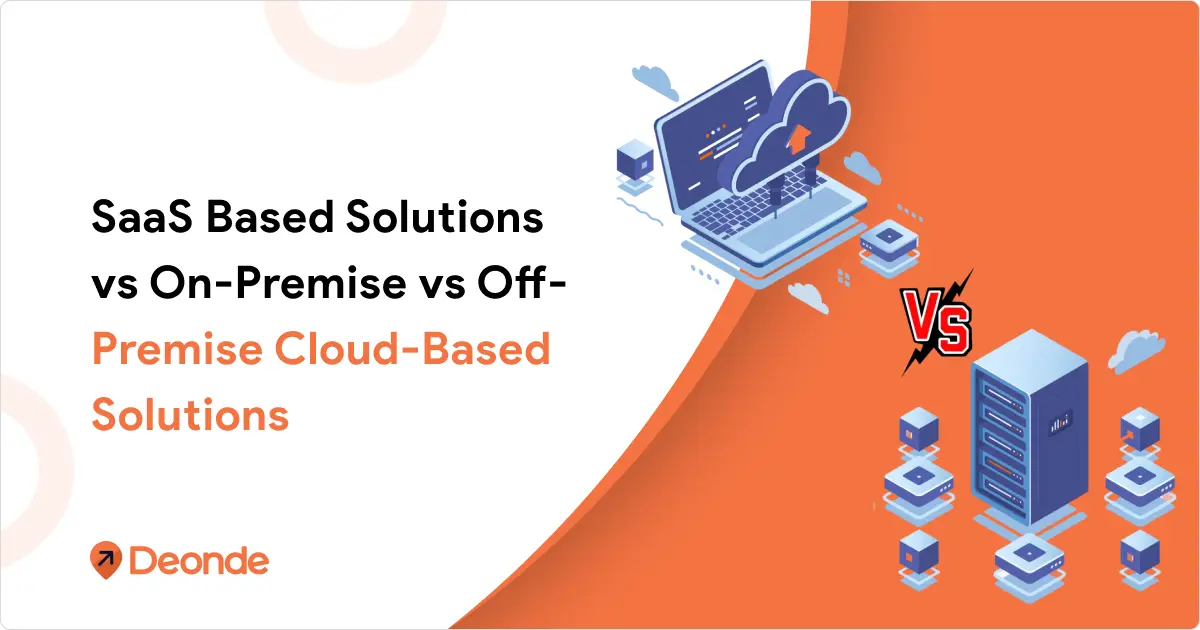
SaaS based solutions vs on-premise vs off-Premise cloud-based solutions—this choice shapes your burn rate, team productivity, and ability to scale fast. Yet most founders and CTOs make this call based on outdated advice or vendor pitches.
The landscape shifted hard in 2025-2026. SaaS spending crossed $300 billion globally, but companies like Dropbox proved that migrating back to on-premise can slash costs by 40-60% at scale. Meanwhile, off-premise cloud solutions offer the middle ground nobody talks about enough.
Whether you’re building enterprise software, launching a SaaS platform, running a restaurant chain, or evaluating a migration, understanding how to choose between cloud and on-premise solutions determines whether your infrastructure budget becomes a growth engine or a cash drain.
Let’s break down what each model actually delivers when the marketing slides disappear.
What is the Difference Between SaaS, On-Premise and Off-Premise Solutions?
The core split comes down to where your software lives and who manages it.
SaaS Based Solutions
Software runs on the vendor’s servers. You access it through a browser or API. The vendor handles updates, security patches, infrastructure scaling, and backups.
-
- Think: Salesforce, HubSpot, Deonde, Notion
-
- Payment model: Monthly or annual subscription per user or usage tier
-
- Setup time: Hours to days
-
- On-Premise Software
Software installs on your own servers—whether that’s a data center you own or collocated hardware you control. Your team manages everything: updates, security, scaling, disaster recovery.
-
- Think: Traditional ERP systems, custom banking platforms, legacy enterprise applications
-
- Payment model: Upfront license fee + ongoing maintenance costs
-
- Setup time: Weeks to months
Off-Premise Cloud-Based Solutions
Here’s where confusion creeps in. Off-premise cloud sits between SaaS and on-premise. You deploy software on cloud infrastructure (AWS, Azure, Google Cloud) but you control the environment—not a SaaS vendor.
-
- Think: Self-hosted applications on AWS EC2, containerized apps on Kubernetes, managed databases you configure
-
- Payment model: Cloud infrastructure costs + software licenses (if applicable)
-
- Setup time: Days to weeks
Key distinction: SaaS is always off-premise cloud, but off-premise cloud isn’t always SaaS. With off-premise cloud, you own the deployment, configurations, and data handling. With SaaS, the vendor owns all of that.
SaaS vs On-Premise vs Cloud: The Detailed Comparison
When launching a fast-moving operation like a multi-restaurant ordering system or a grocery delivery network, infrastructure dictates the speed of expansion. Here is the head-to-head breakdown of how these three models perform under pressure:
| FeatureSaaS
Off-Premise Cloud On-Premise Upfront Cost Extremely Low (Subscription) Moderate (Setup + Usage) Extremely High (Hardware) Time to Market Days Months (Requires Dev Team) Months to Years Maintenance Handled entirely by vendor Shared (Provider + Internal IT) 100% Internal IT Scalability Instant (Upgrade plan) Highly Elastic (Spin up servers) Rigid (Requires buying hardware) Best Use Case Food delivery platforms, multi-vendor marketplaces Custom enterprise logistics algorithms Highly regulated government/banking data |
Industry-Specific Deployment Strategies
On-Demand Delivery & Food Tech
Speed-to-market and zero commission models drive decisions. Restaurant owners, cloud kitchen operators, grocery delivery startups, and multi-vendor marketplace builders need to launch fast, scale elastically, and own their customer relationships directly—without losing 15–30% of every order to third-party aggregators like DoorDash, Zomato, or UberEats.
-
- Winning strategy: SaaS-first with white-label branding. Platforms like Deonde give delivery businesses a complete ready-to-deploy stack—branded customer apps (iOS + Android), driver management, real-time tracking, delivery zone control, loyalty programs, and support for multiple business types including restaurants, grocery stores, pharmacies, milk delivery subscriptions, multi-vendor marketplaces, cloud kitchens, and hyperlocal delivery networks.
-
- Cost impact: SaaS eliminates upfront hardware and development costs. A restaurant or grocery operator can go live in days at a predictable flat monthly cost, keeping 100% of their revenue instead of paying per-order commissions.
FinTech and Financial Services
Regulatory requirements drive decisions. PCI DSS, SOX compliance, and data residency laws eliminate many SaaS options for core systems.
-
- Winning strategy: Hybrid approach with on-premise core systems and cloud-based analytics/reporting. Companies like Stripe run payment processing on dedicated infrastructure while using cloud services for fraud detection and business intelligence.
-
- Cost impact: Compliance-first architecture typically costs 30-50% more upfront but avoids regulatory penalties and audit failures.
-
- HealthTech and Medical Software
HIPAA compliance isn’t negotiable. Patient data handling requirements eliminate most standard SaaS solutions and require specialized cloud configurations.
-
- Winning strategy: On-premise for patient data storage with cloud-based AI/ML processing using de-identified datasets. Epic Systems exemplifies this approach – core EHR on-premise, analytics in compliant cloud environments.
-
- Cost impact: Healthcare-compliant infrastructure costs 2-3x standard deployments but enables market access worth millions in revenue.
E-commerce and Retail
Traffic volatility demands elastic scaling. Black Friday can generate 10x normal traffic in hours. Traditional on-premise solutions can’t handle these spikes cost-effectively.
-
- Winning strategy: Cloud-first with SaaS integrations for non-critical functions. Shopify’s architecture demonstrates this – core platform on cloud infrastructure with SaaS apps for specialized features.
-
- Cost impact: Cloud deployment costs fluctuate with revenue, creating natural alignment between infrastructure spend and business performance.
Enterprise Software and B2B Tools
Customer deployment preferences vary wildly. Some enterprises demand on-premise installations. Others prefer SaaS simplicity. Most want options.
-
- Winning strategy: Multi-deployment architecture supporting SaaS, on-premise, and private cloud options. Salesforce pioneered this with multiple deployment models for different customer segments.
-
- Cost impact: Supporting multiple deployment models increases development costs by 40-60% but expands the addressable market by 200-300%.
Common Mistakes When Choosing Deployment Models
1. Ignoring Total Cost of Ownership
Comparing SaaS monthly fees to on-premise license costs misses the full picture. Factor in:
-
- IT staff time and salaries
-
- Training and onboarding costs
-
- Integration and customization expenses
-
- Downtime and opportunity costs
-
- Migration and exit costs
2. Underestimating Cloud Complexity
“Just use AWS” sounds simple until you’re managing IAM policies, VPC configurations, cost optimization, security groups, and compliance frameworks. Off-premise cloud requires expertise.
3. Overvaluing Customization
Most businesses don’t need custom software. Standard SaaS workflows work fine for 80% of use cases. Customization creates maintenance burdens and upgrade headaches.
4. Ignoring Vendor Lock-In
SaaS platforms make it easy to get data in, hard to get data out. Evaluate export capabilities, API access, and migration paths before committing.
5. Choosing Based on Trends, Not Needs
“Everyone’s moving to the cloud” doesn’t mean you should. Evaluate your specific workloads, team capabilities, and business model.
The Future: Where Deployment Models Are Heading in 2026-2027
SaaS Consolidation
Expect fewer, larger SaaS platforms. Companies are tired of managing 50+ SaaS subscriptions. Platforms offering broader capabilities (like Deonde, Microsoft 365, Google Workspace, Salesforce ecosystems) gain share.
Cloud Repatriation Continues
More companies will follow Dropbox and Spotify, moving predictable workloads from public cloud back to on-premise or colocation. Cloud spending optimization becomes a C-level priority.
Hybrid as Default
Pure on-premise or pure cloud becomes rare. Most enterprises run hybrid: on-premise for core systems, cloud for innovation, SaaS for productivity.
Edge Computing Growth
Processing moves closer to data sources. Manufacturing, retail, autonomous vehicles push compute to the edge—blurring lines between on-premise and cloud
Knowing what is BOM helps organizations synchronize production data, inventory, and procurement across modern ERP ecosystems.
AI Infrastructure Demands
Training large language models and running AI workloads requires massive compute. Companies building AI capabilities increasingly need on-premise GPU clusters or dedicated cloud instances—SaaS AI tools won’t cut it for proprietary models.
Final Verdict: Which Deployment Model Wins in 2026?
The battle of SaaS vs on-premise vs off-premise cloud-based solutions is easily settled when evaluated through the lens of pure business velocity.
In 2026, building custom infrastructure from scratch to manage drivers, process payments, and host multi-vendor storefronts is an incredibly inefficient use of venture capital or bootstrapped funds. The technical debt of on-premise servers and the heavy engineering payroll required for custom cloud builds actively throttle growth.
Smart operators focus entirely on their core competency—acquiring customers and dominating local markets. They leverage dedicated SaaS platforms like Deonde to run their business natively, capturing market share instantly while protecting profit margins at scale.
-
- Choose SaaS when speed-to-market and predictable cash flow are mandatory (e.g., hyperlocal delivery, Q-commerce, multi-vendor marketplaces).
-
- Choose Off-Premise Cloud only when building entirely new, proprietary algorithms that require massive elastic compute power.
-
- Choose On-Premise only when extreme regulatory compliance or data sovereignty laws make third-party hosting legally impossible.
Pick the deployment model that gets the brand live today, scales without friction tomorrow, and keeps infrastructure from becoming a financial bottleneck.
Frequently Asked Questions (FAQs)
1. What Is The Difference Between Saas And On-Premise Solutions?
SaaS runs on the vendor’s servers—you access it through a browser and pay monthly. On-premise installs on your own servers—you control and manage everything yourself.
2. Is SaaS Better Than On-Premise For Startups?
Yes, for most startups. SaaS gets you running in hours with zero infrastructure investment, letting you focus on customers instead of servers.
3. What Are The Disadvantages Of On-Premise Software?
High upfront costs ($100K-$500K+), slow deployment (2-6 months), needs dedicated IT staff, scaling takes weeks, and you handle all security yourself.
4. How Do I Choose Between Cloud And On-Premise Solutions?
Check your team size, technical skills, workload type, compliance needs, budget, and customization requirements. Small teams with standard needs = SaaS. Large scale with predictable workloads = on-premise.
5. What Is SaaS Security Vs On-Premise Security?
SaaS vendors handle infrastructure security—you manage user access. On-premise puts all security responsibility on you. Enterprise SaaS often beats small in-house teams on security.